Announcement: Improvements to the Sell Data Experience (8/12/26)
Note
Update 8/6/2026: The release date has shifted and is now targeted for early next week (8/10–8/12), with the exact date still to be determined. We will update this announcement when the release date is confirmed.
Update 8/12/2026: The updates for the improved Sell Data experience in Connect have been released.
We’ve released updates to the Sell Data experience in Connect to give the UI a refreshed look and make common seller workflows easier to complete. These changes affect the main Sell Data views, the Distribution Status experience, and the segment details side panel.
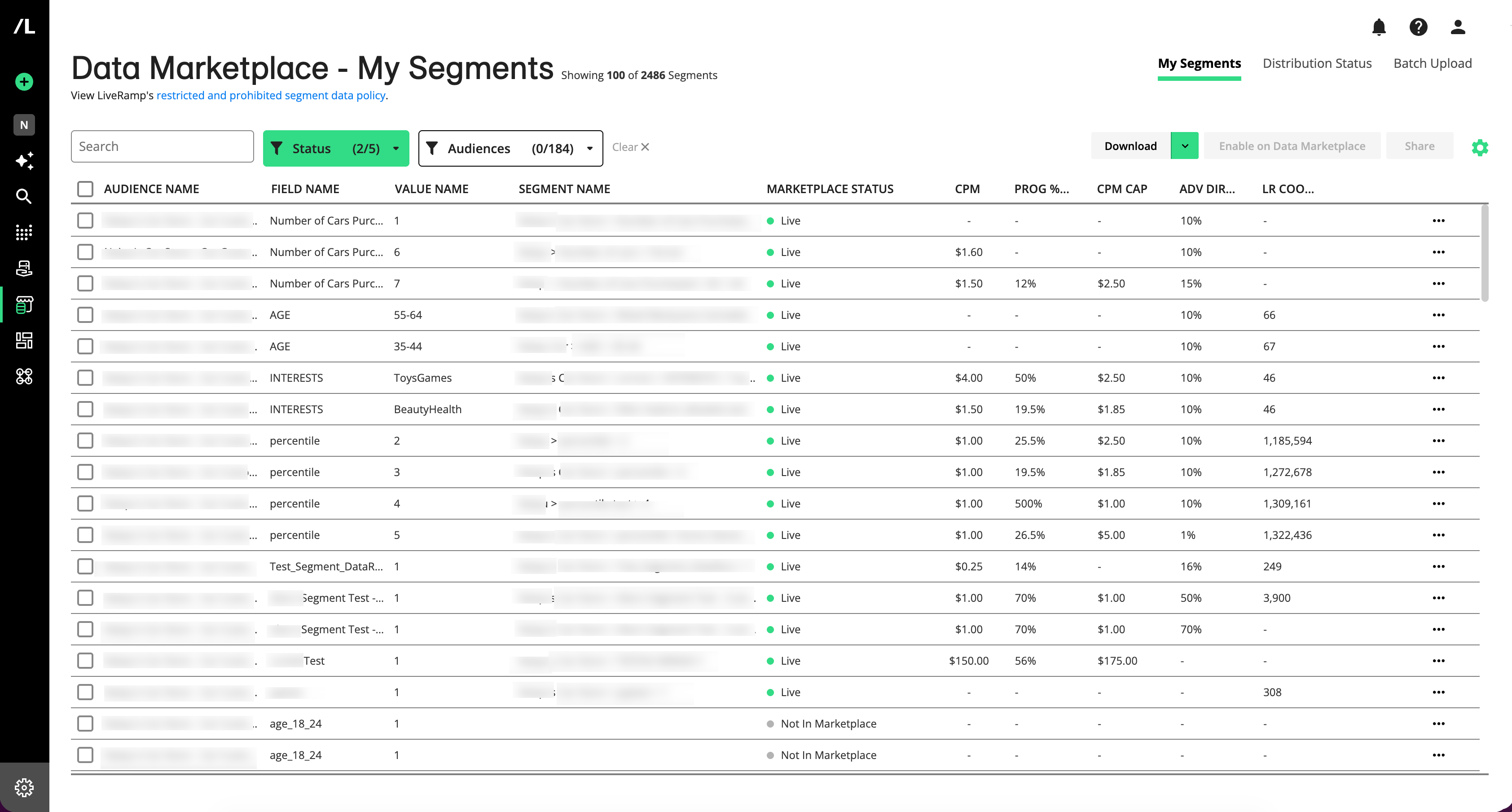
Previous Sell Data “My Segments” Tab
New Sell Data "My Segments" Tab
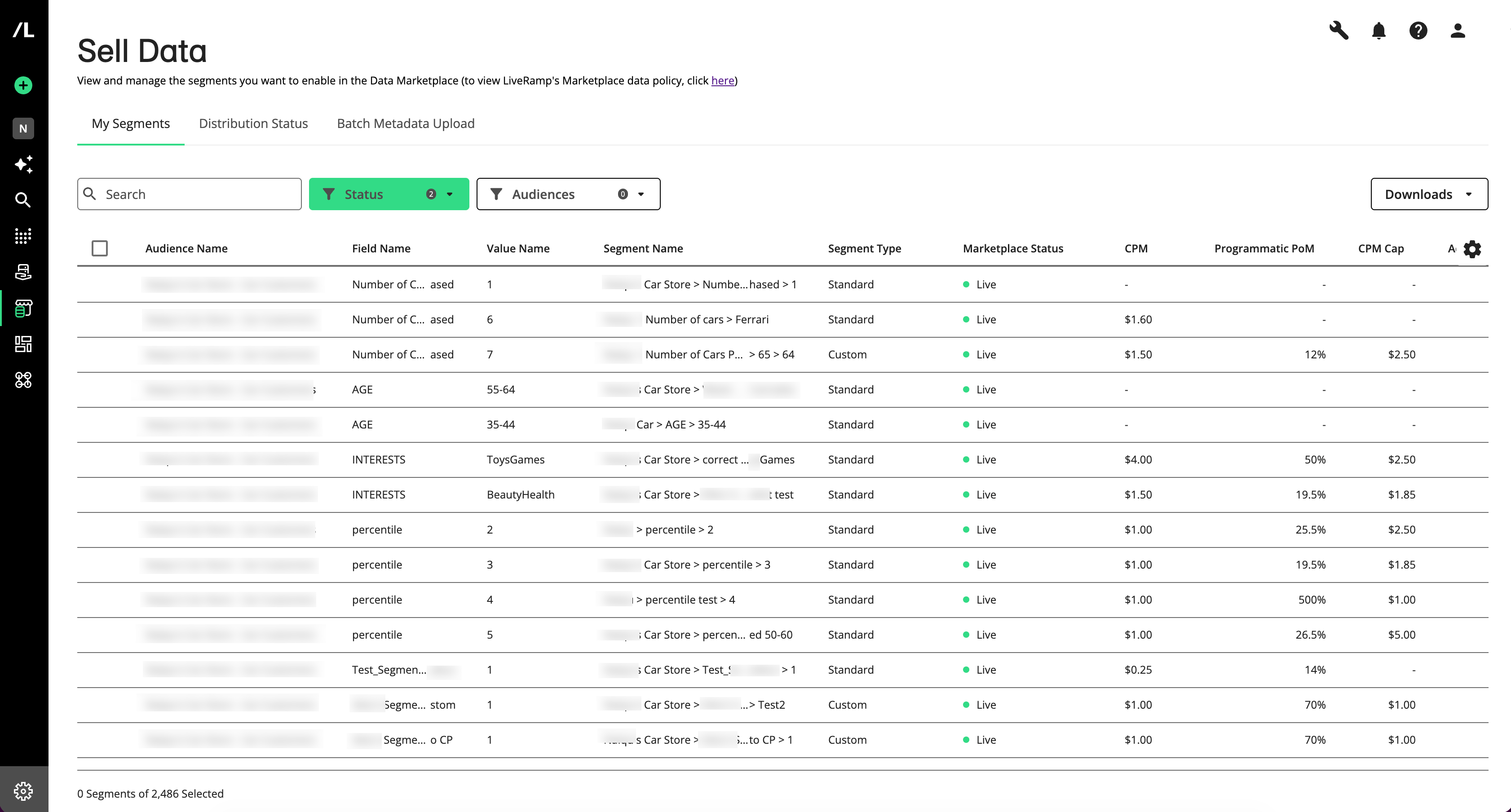
See what has changed below:
Changes to the Sell Data Pages
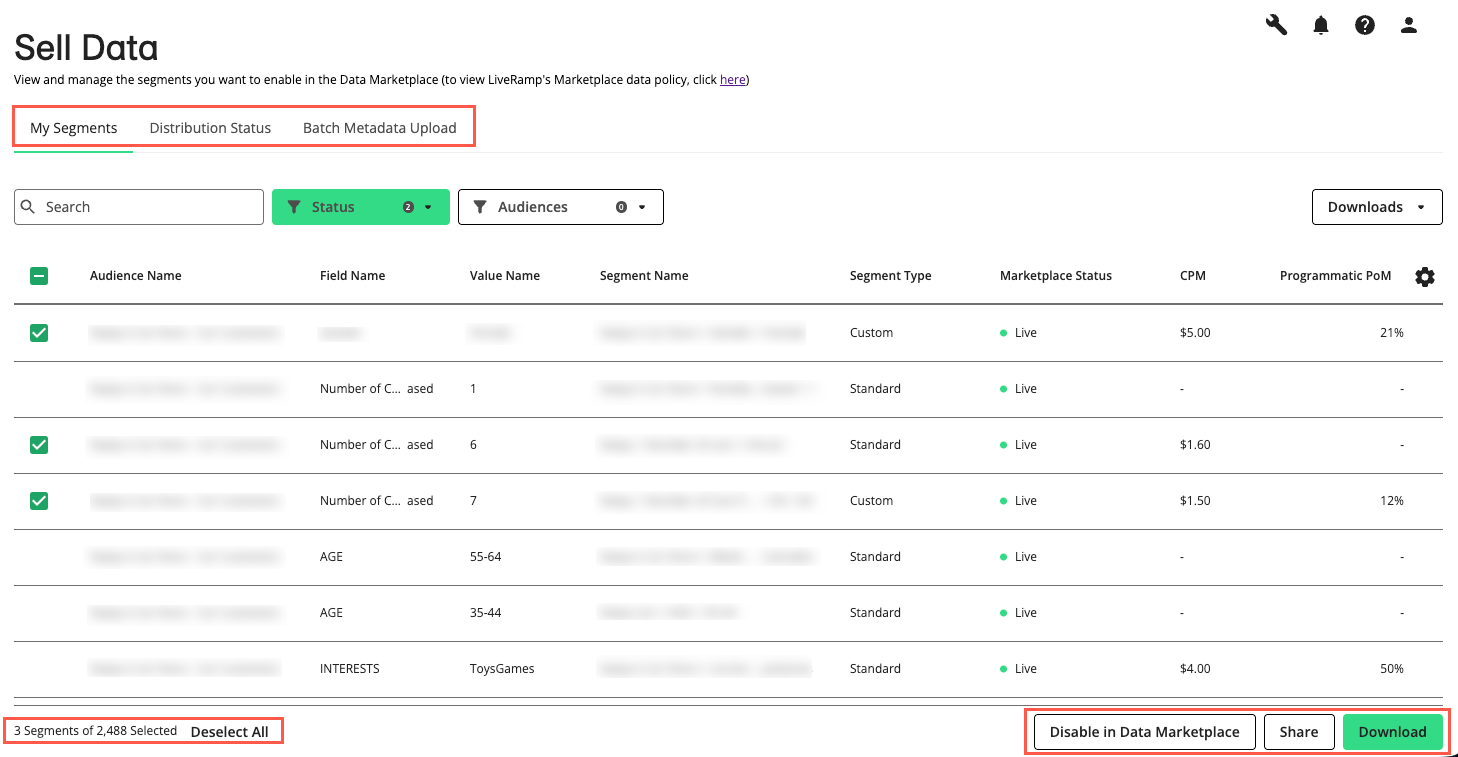
The “My Segments”, “Distribution Status”, and “Batch Upload” tabs are now organized in a left-side navigation, and “Batch Upload” is now named “Batch Metadata Upload”.
On the “My Segments” page, the segment count has moved from the title area to the bottom left of the page.
Common actions such as “Share”, “Download”, and “Disable” have moved to the bottom right of the page for easier access after you select segments.
Downloading selected segments is now handled from the “Download” action at the bottom right that becomes available after you select one or more segments.
The “Batch Metadata Upload” experience has a refreshed upload interface.
Changes to the Segment Details Side Panel
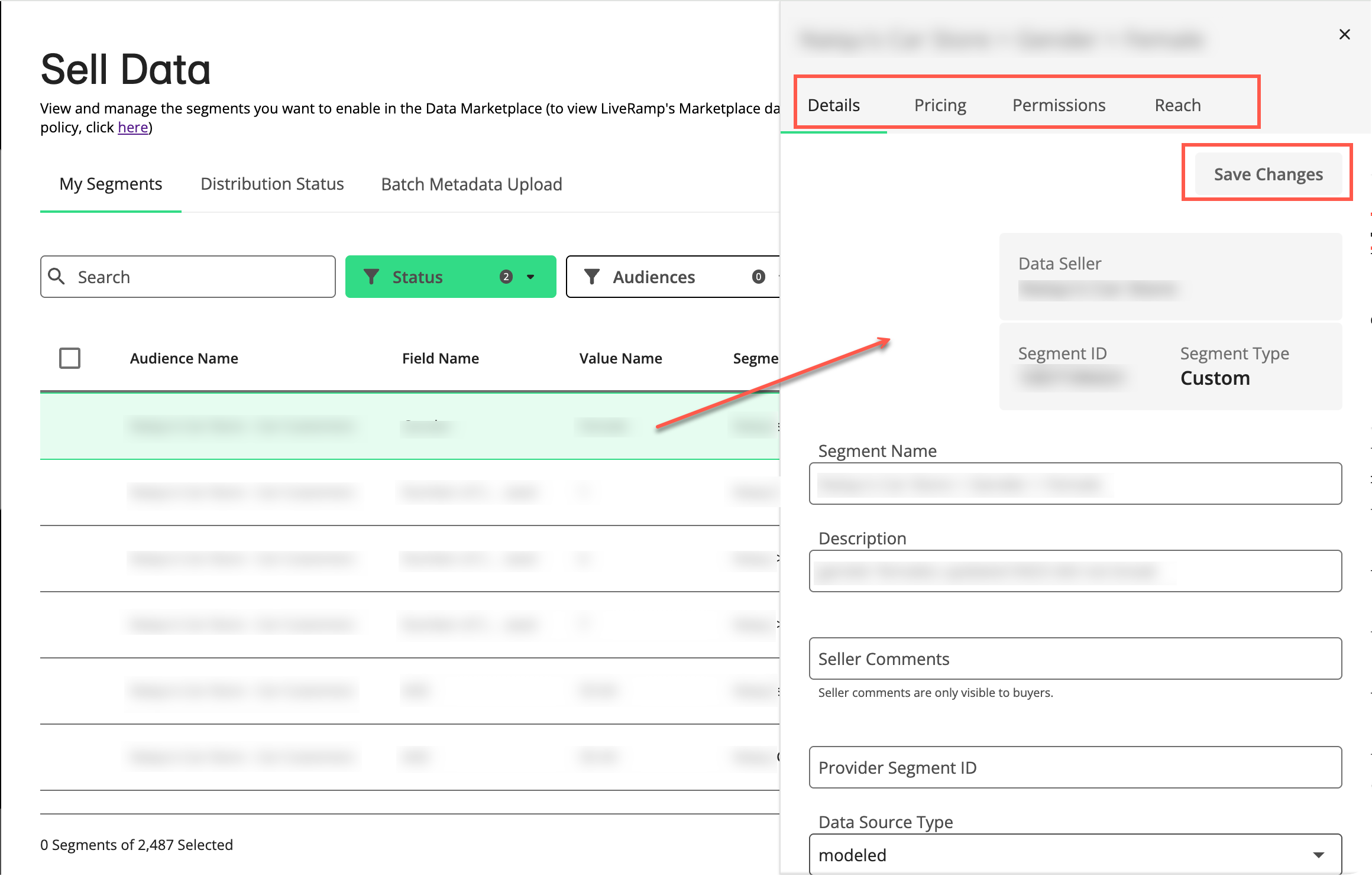
Opening a segment’s side panel is now done by simply clicking anywhere in the segment row.
Tabs in the side panel now appear horizontally near the top of the panel instead of vertically along the left edge.
Icons in the side panel tabs have been replaced with text labels, and tabs without content have been removed for a cleaner experience.
Important controls in the side panel have moved higher on the page, and “More” expandable sections have been removed so information is displayed by default.
Permitted use cases are now enabled in the “Permissions” tab with check boxes instead of a switch control.
Changes to the Distribution Status Page
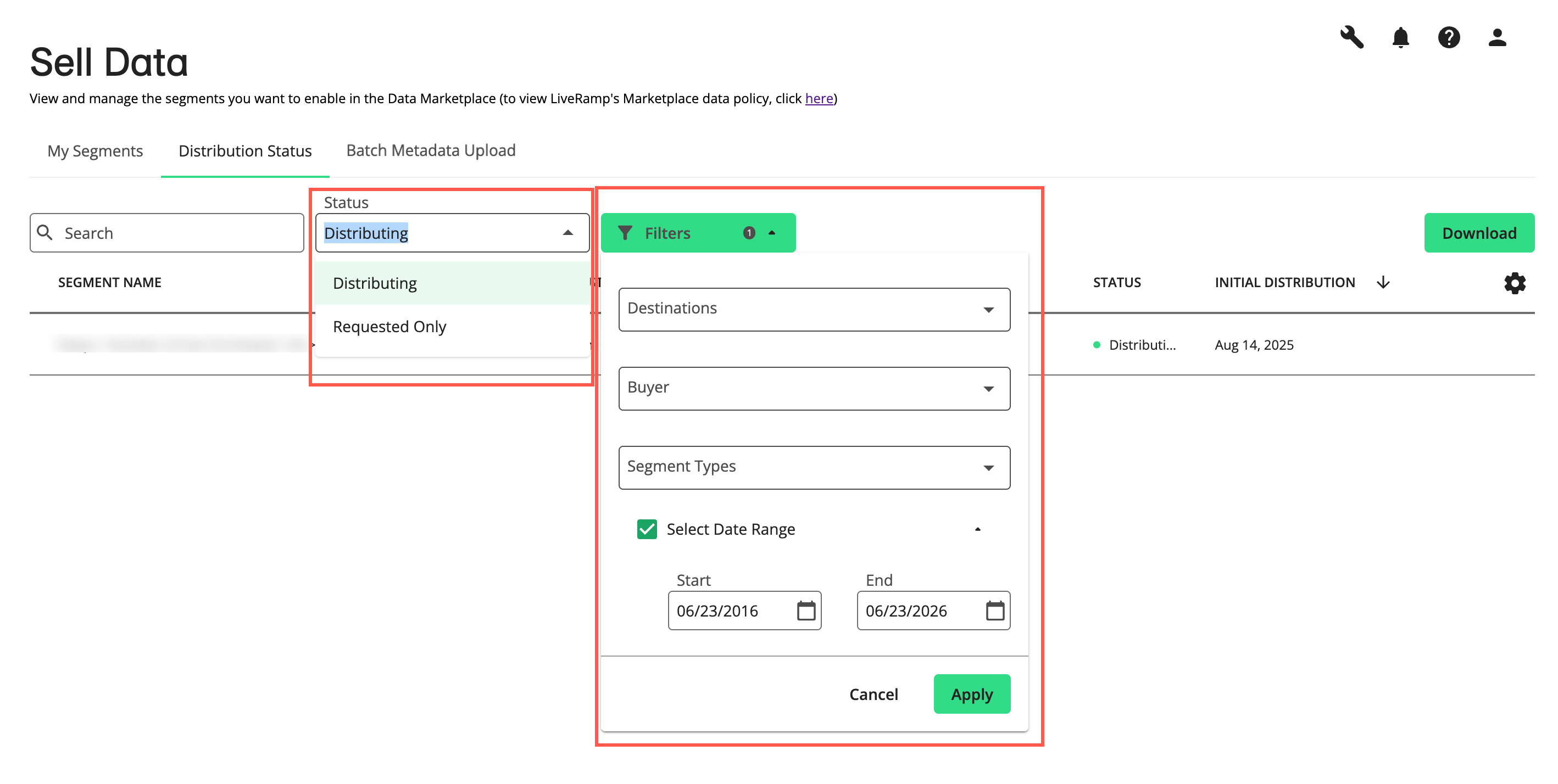
The “Distribution Status” tab has been updated with a refreshed layout.
Filters on the “Distribution Status” tab are now combined into a single drop-down to streamline filtering.
Need More Information on Data Selling?
For more information on data selling, see "Getting Started with Data Selling".