Create a Cloud Account Credential
For LiveRamp to be able to access your data at your cloud provider during question runs, you’ll need to create a credential within LiveRamp Clean Room for that cloud account. This often involves entering a credential or token you generate from your cloud provider.
Once you've created a credential, you can use that credential when creating a data connection to connect LiveRamp Clean Room to your data.
Note
These are general instructions for adding credentials. For instructions that are specific to your data connection type (which depends on your cloud type and other factors), as well as information on any prerequisites, see the articles in "Connect to Cloud-Based Data".
If LiveRamp Clean Room hosts your file drop location, you can generate credentials within the LiveRamp Clean Room UI by selecting Clean Room → Data Source Locations from the LiveRamp Clean Room navigation menu.
Determine the Credential Type to Create
Use the table below to determine the type of credential to create (based on your cloud provider, the type of clean room being used, and other variables), as well as any prerequisites to creating that credential:
Cloud Provider | Clean Room Type | Credential Type(s) | How to Choose Credential Type | Credential Prerequisites / Required Info |
|---|---|---|---|---|
Snowflake | Snowflake Account with Credentials | Choose this credential type if you authenticate to Snowflake with an unencrypted key. |
| |
Snowflake Account with PEM Credentials | Choose this credential type if your security requirements mandate encrypted key-pair authentication instead of a password or unencrypted key. |
| ||
Snowflake | Snowflake clean room | Snowflake credential (auto-generated during CLI Framework install; no separate named credential type) | N/A | None beyond the CLI Framework install itself. Select the Snowflake credential that was created automatically during that install. |
BigQuery | Google Service Account | N/A |
| |
BigQuery | BigQuery clean room | Google Service Account (same name, heavier prerequisites than Hybrid) | N/A |
|
AWS S3 (customer hosted) |
| AWS IAM User Credentials | N/A | Gather the following info:
|
Google Cloud Storage (Customer Hosted) |
| Google Service Account | N/A |
|
Databricks | Databricks clean room | Databricks Delta Credentials | N/A |
|
Azure Blob Storage | Azure SAS Token | Choose this credential type for simpler setup with no extra infrastructure - but you're responsible for secure storage, monitoring expiration, and rotating/replacing the token if compromised. |
| |
Azure SAS User Delegation | Choose this credential type if your organization requires Azure AD-based, short-lived access and prohibits long-lived tokens, or if administrators prefer to govern access through Azure AD credentials rather than a static token. |
| ||
Salesforce | Salesforce Credential | N/A |
| |
Apache Iceberg (via AWS Glue Catalog) | AWS IAM User Credentials | N/A | Gather the following info:
|
Steps to Create a Credential
To create a cloud account credential in LiveRamp Clean Room:
Make sure that you've performed any necessary prerequisites for your cloud and connection type.
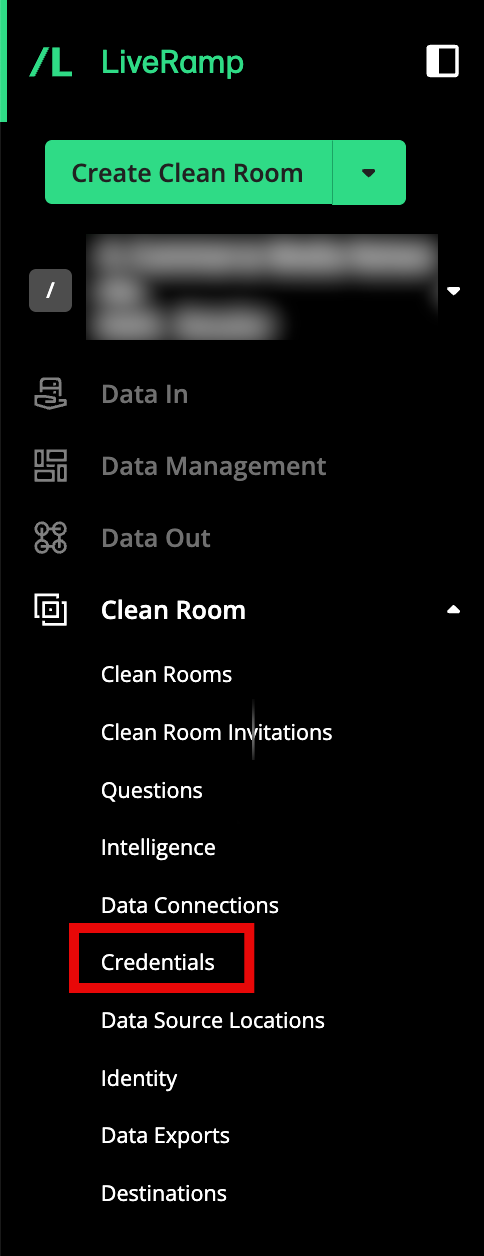
From the navigation menu, select Clean Room → Credentials to open the Organization Credentials page.
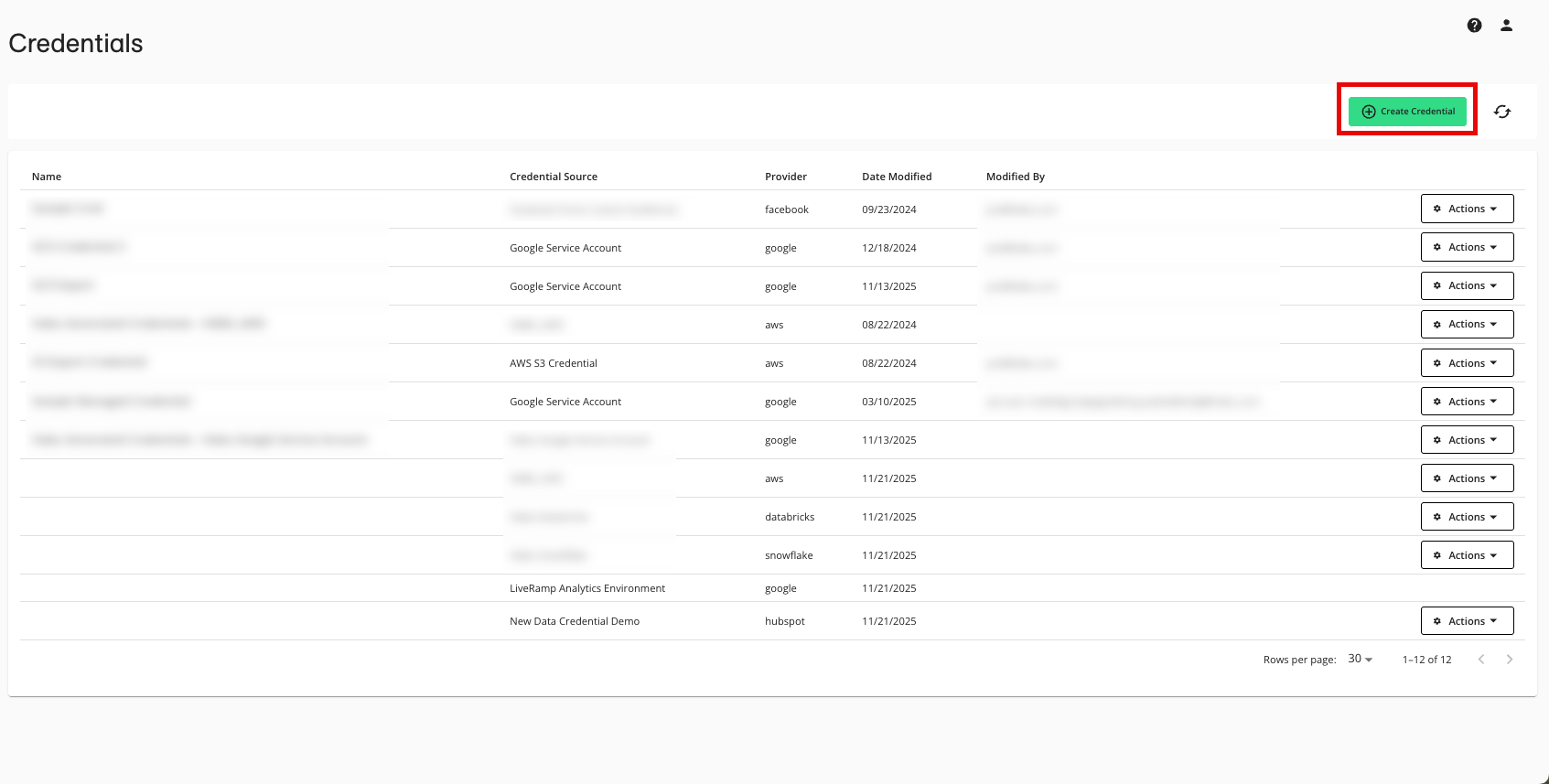
Click .
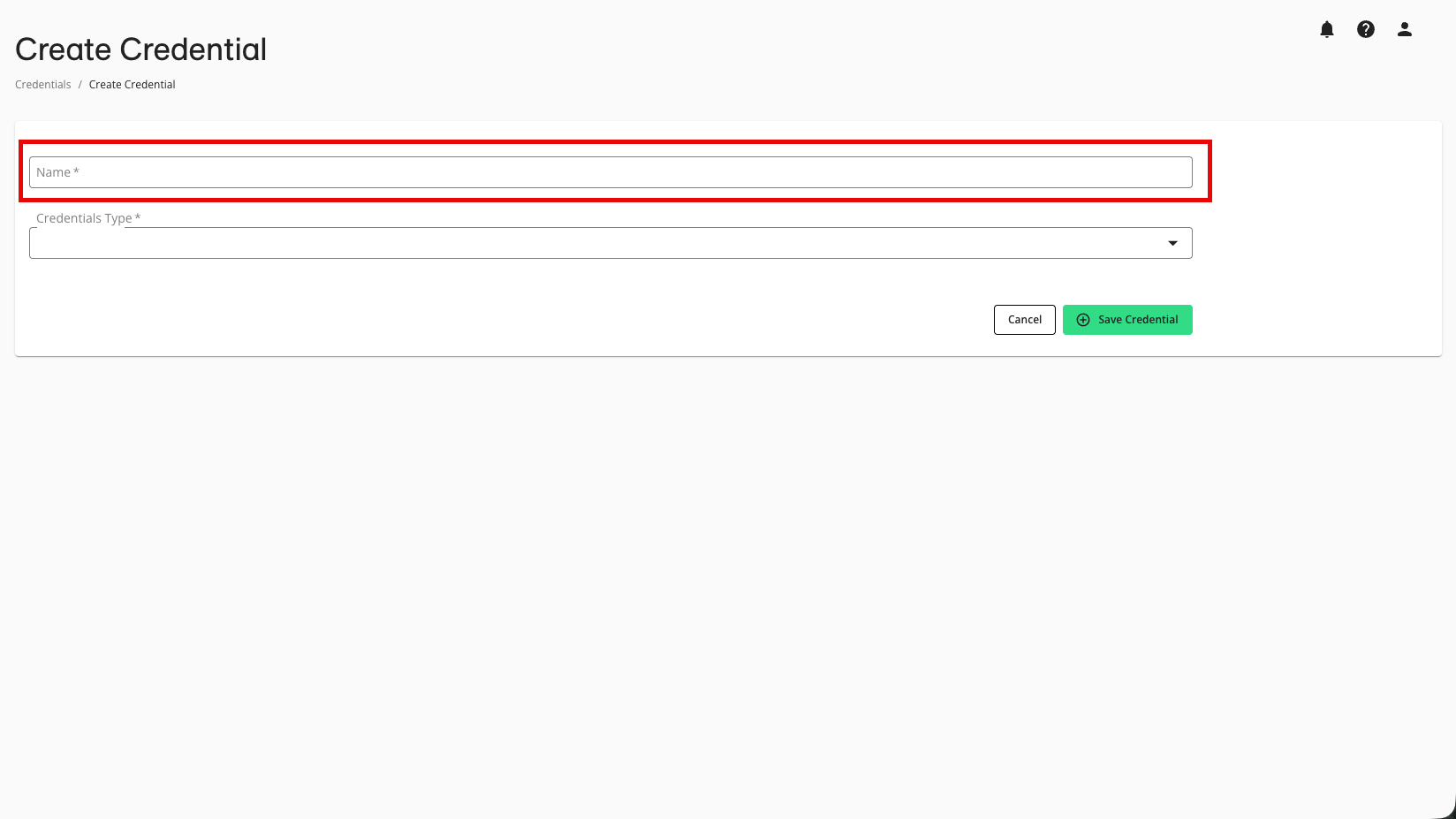
Enter a descriptive name for the credential.
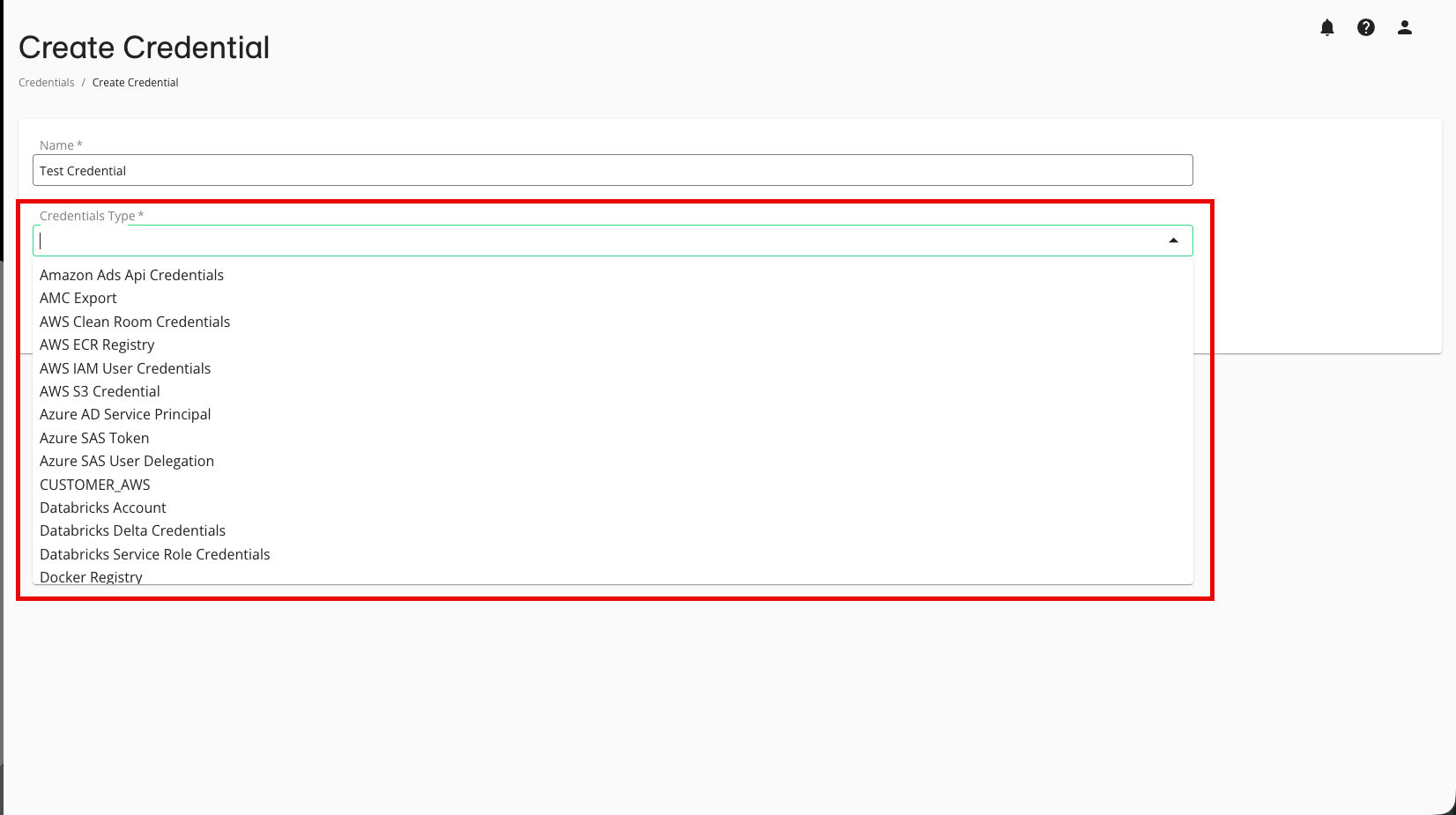
Select the appropriate credentials type, depending on the data connection type.
Note
For information on the credentials type to select, and the fields to configure, see the data connection articles in the "Connect to Cloud-Based Data" and "Connect to Walled Garden Data" sections.
Enter the necessary configuration information that is specific to your data connection type (which depends on your cloud type and other factors).
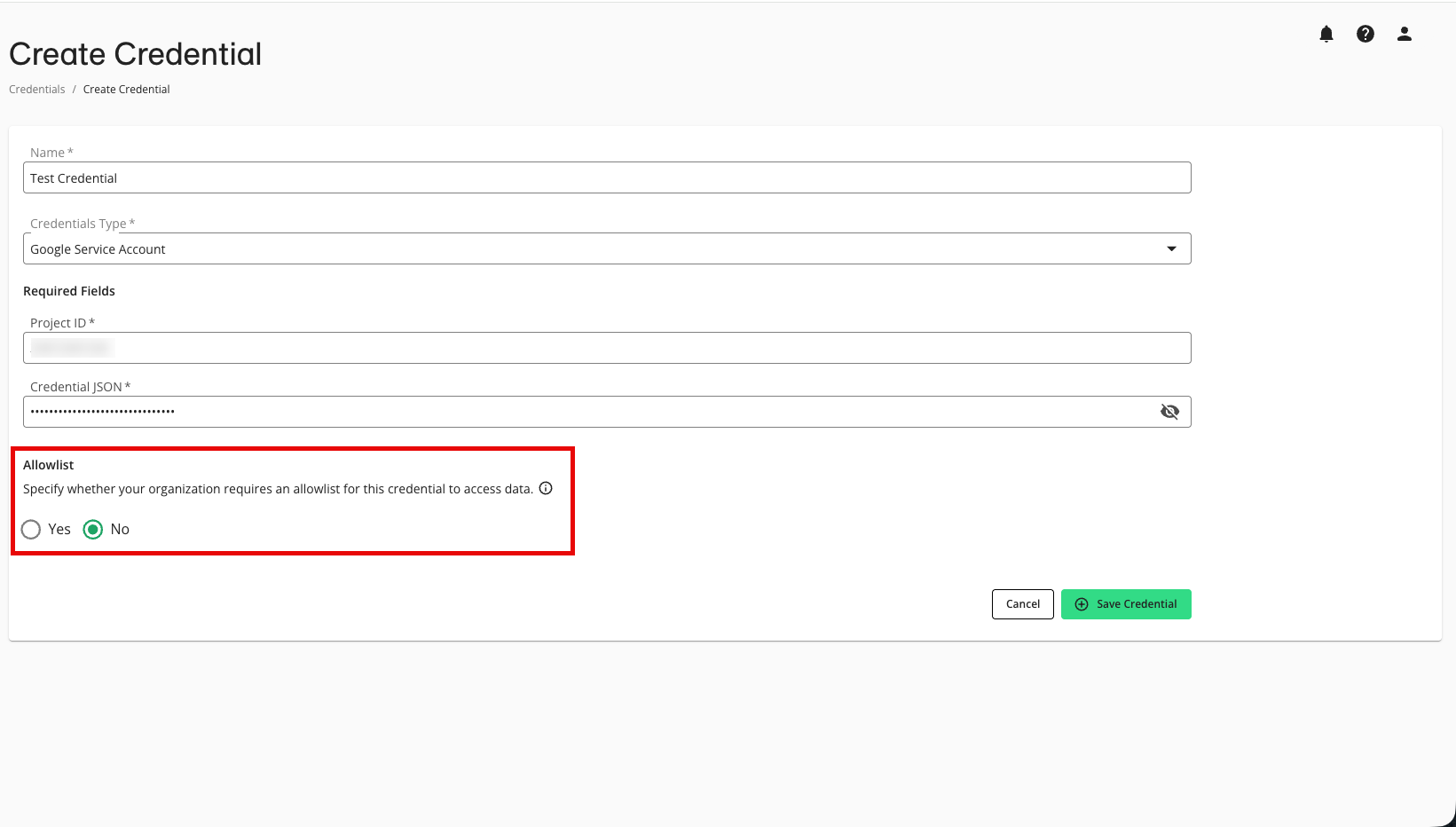
If needed, adjust the selection for whether your organization's cloud security policy requires an allowlist for IP addresses and Google Project IDs for this credential (this is not common).
Note
Allowlists only need to be utilized for credentials used in Hybrid and Confidential Computing clean rooms, where the processing of question runs might need to be load-balanced across different data planes. You do not need to require an allowlist for other clean room types.
For more information on credential allowlists, see "Create and Manage Credential Allowlists".
If your organization requires an allowlist, we recommend that you talk to your LiveRamp representative before creating the credential.
Click .
The credential is created and appears on the Credentials page. The allowlist status varies depending on whether you specified that an allowlist is required:
If no allowlist is required, the allowlist status will be "Not Required" and the credential is ready to use when creating data connections.
If an allowlist is required, the allowlist status will be "Not Created" and you will need to create an allowlist by following the instructions in "Create and Manage Credential Allowlists".
Note
To edit an existing credential, see "Edit a Cloud Account Credential".