Assign Datasets to a Question
Once you've provisioned your datasets to a clean room, you must assign those datasets to any questions in that clean room that need the data from those datasets.
Questions contain macros as placeholders for the datasets and dataset fields that the question needs to use. When you assign datasets to a question, you specify which actual datasets and fields the question macros should use.
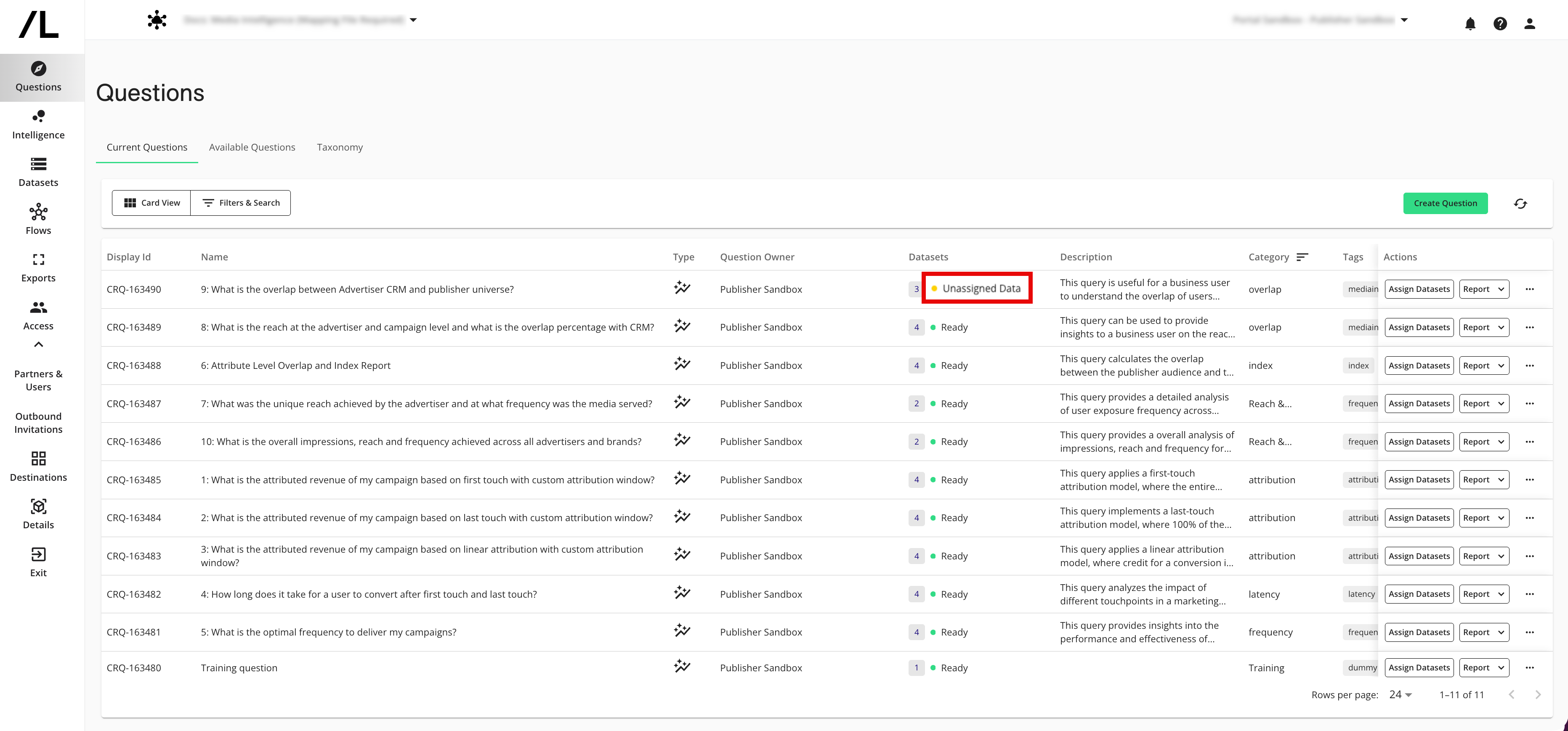
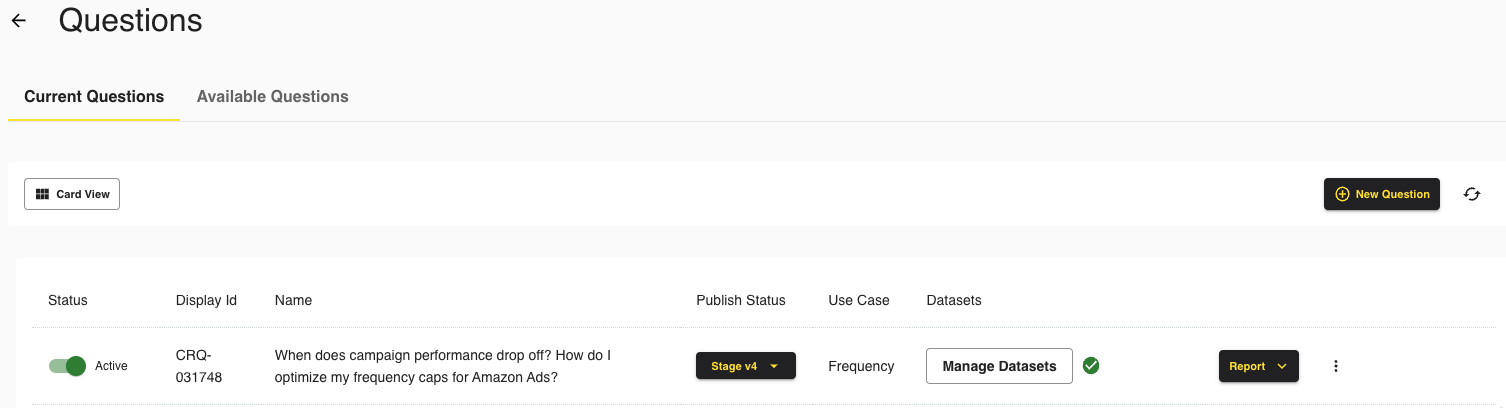
Questions that need datasets assigned have a Datasets status of “Unassigned Data”.
Note
In some cases, you can only assign datasets that you own.
However, if your partner has provisioned a dataset to the clean room and enabled Partners Can Assign for that dataset, you can assign that dataset to any question on the partner’s behalf. In that case, you’ll see the partner dataset in the Assign Datasets step and can map its fields just like your own datasets.
Partners control this setting when they provision the dataset to the clean room. If you do not see their dataset, they might need to provision it themselves or allow partners to assign it.
From the clean room navigation menu, select Questions to navigate to the Questions page.
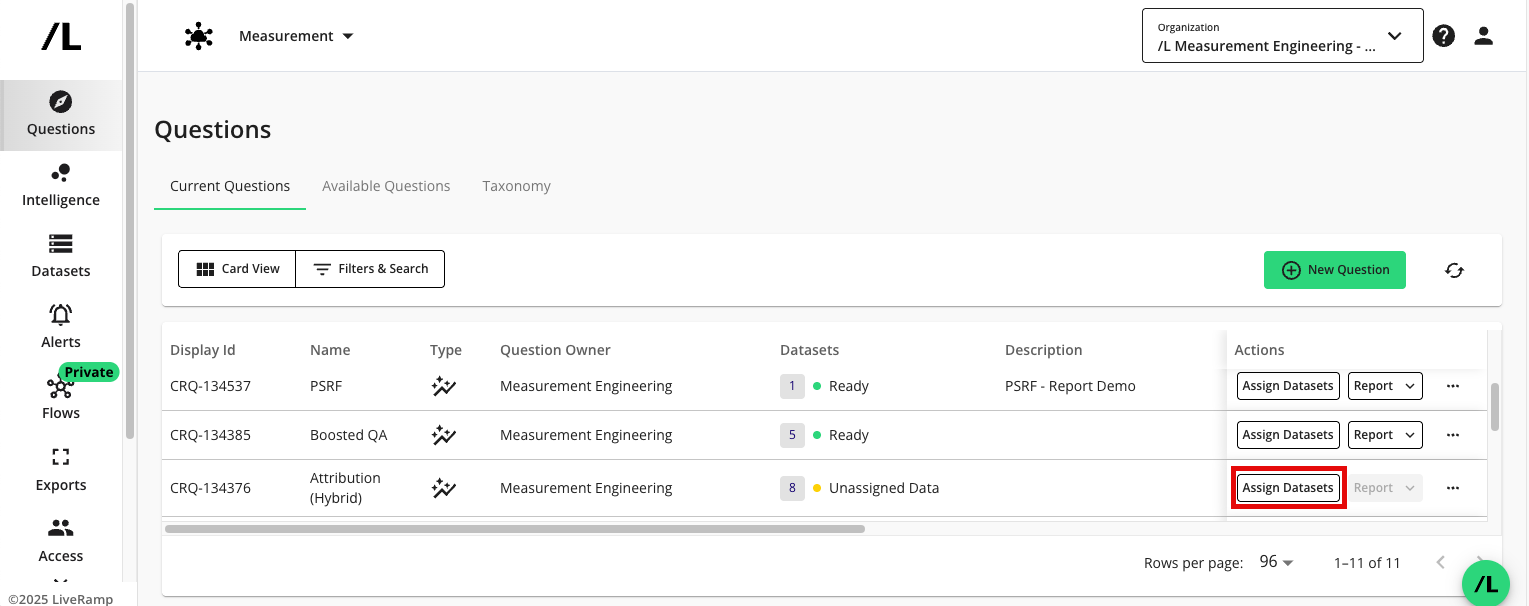
In the row for a question that needs datasets assigned, click .
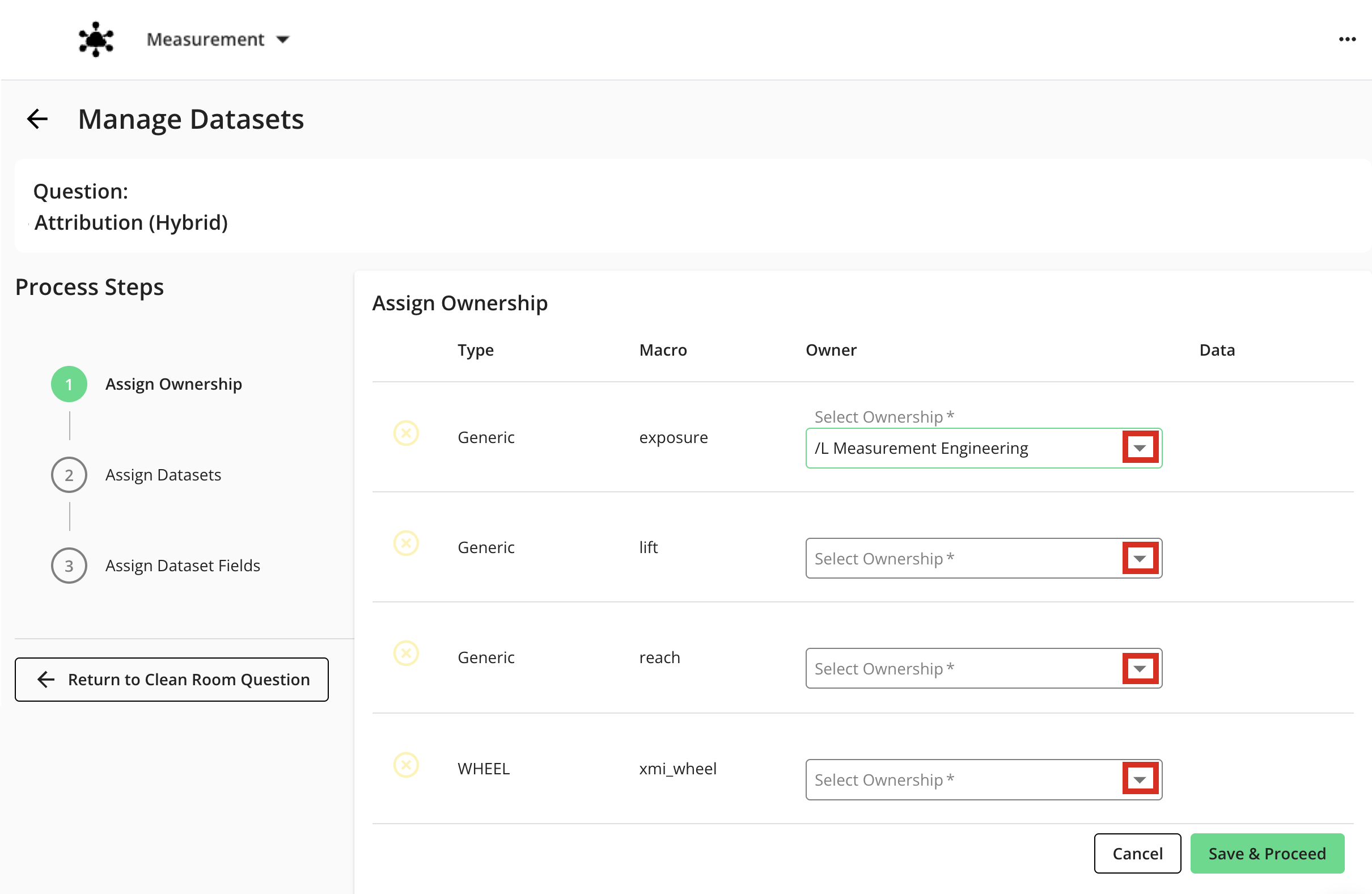
The Manage Datasets wizard displays the dataset macros that are enabled for the question. For information about dataset macros, see "Add a Macro for a Dataset Type".
In the Assign Ownership step, select the organization from the Select Ownership list for each dataset, and then click .
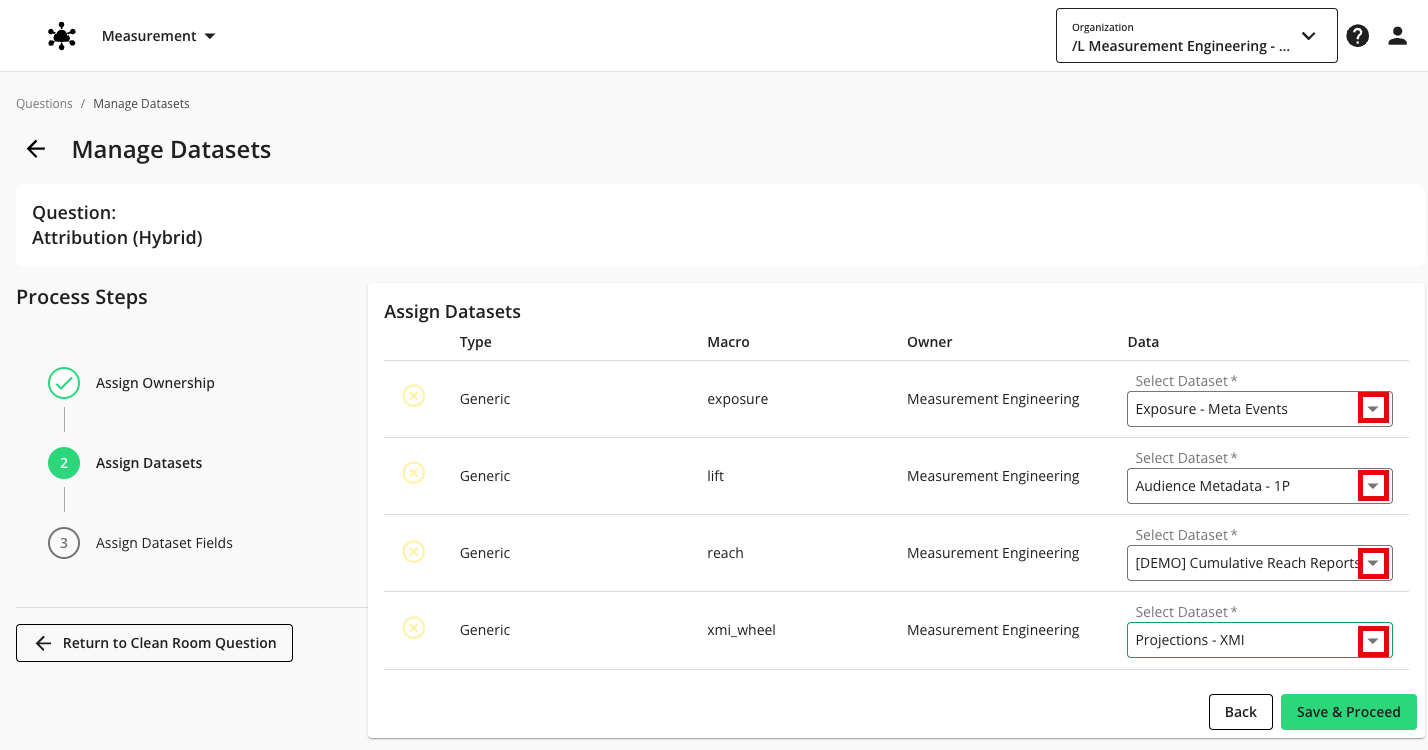
In the Assign Datasets step, select the appropriate dataset to map to each dataset macro from the list. If you gave your partner macros ownership in the previous step, they will map the dataset themselves.
Click .
Tip
Turn on the notification setting for "Dataset Assignment for Me" to get notified when a partner has assigned macros ownership to you. See "Viewing and Managing Notifications" for more information.
In the Assign Dataset Fields step, select the field values to map to each field macro from the list, and then click .
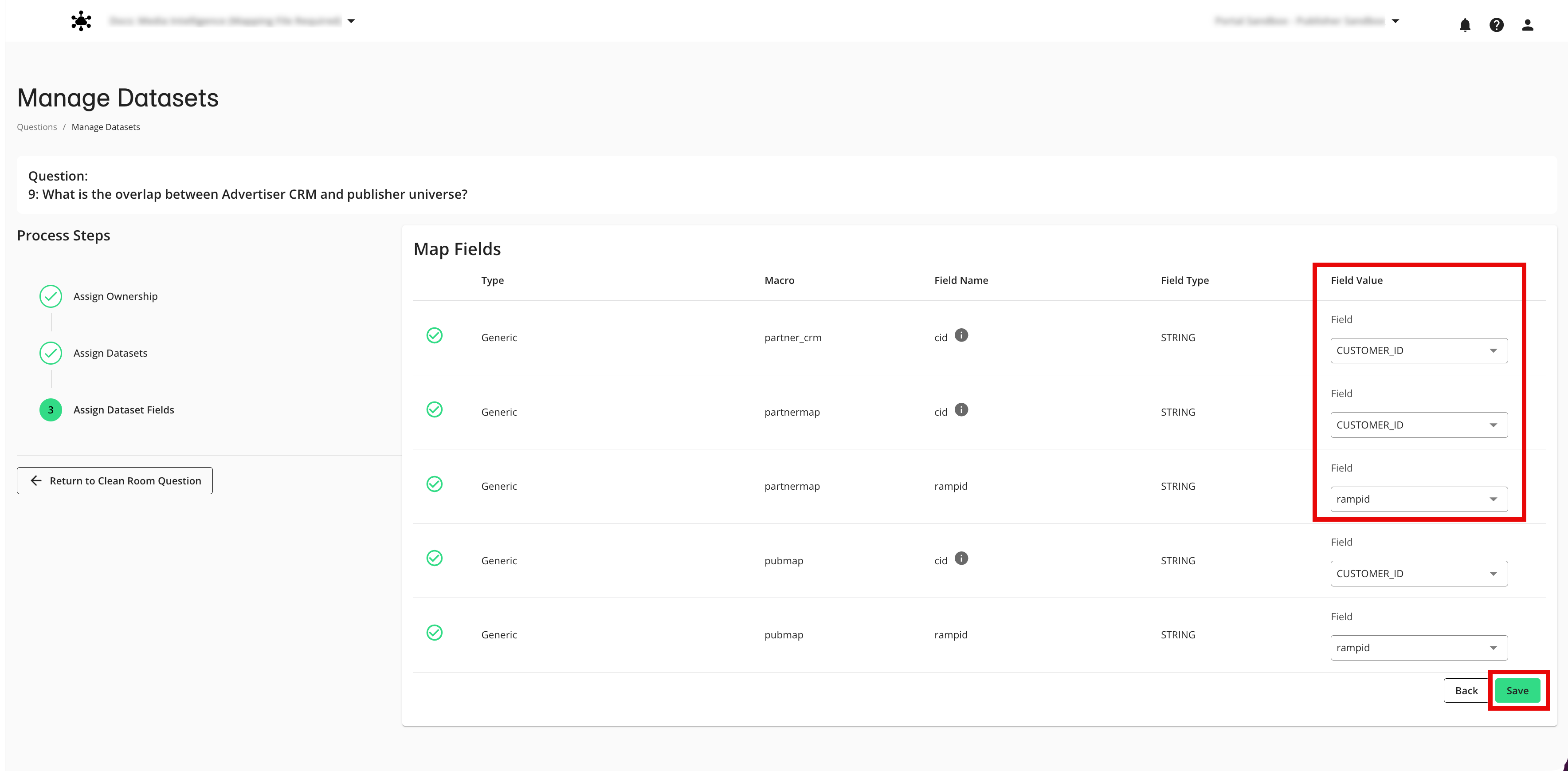
If any of the datasets assigned to the question have analysis rules, the system checks to see if the question would pass those analysis rules.
If any of the datasets you own have dataset analysis rules:
For the datasets with analysis rules that you own or have been enabled by a partner to assign, a banner is displayed below the dataset row confirming that an analysis rule applies to that dataset, along with a button that allows you to view that rule.
If the question does not meet all the rules, a dialog appears with information about each rule that failed. You can click to save the question even though the rules fail, but reports cannot be run for the question until all rules have been met (either by adjusting or removing the rules). A yellow “x” icon appears in each dataset and field macro row until the analysis rules have been met.
If you are the dataset owner, you are also given the option to skip analysis rules for runs of this question.
Note
We recommend that you only skip an analysis rule if you have reviewed the question logic and are comfortable running the question without these safeguards.
If the question passes all rules, a success message appears, the status of the question is “Completed” and the Analysis Rule status is “Completed”. A green checkmark icon appears in each dataset and field macro row.
The status in the Datasets column changes to "Ready", and your question is now ready to be run.
Note
At times, you might need to assign a different dataset or different dataset fields to a question. However, do not change any assignments when the question is in either the "Queued" or "Running" status.
If the owner of a question edits that question, you might need to re-assign your datasets to that question. For more information, see "Edit a Question".
When you reassign a dataset, LiveRamp checks the question against the dataset's current analysis rules. If the dataset's rules were added or changed after the question was last assigned, you need to reassign that dataset to apply the new rules to an existing question. See "Set Dataset Analysis Rules".