Flows
Note
The Flows feature is currently only available for:
Hybrid clean rooms
Confidential Computing clean rooms
Snowflake clean rooms
LiveRamp Clean Room's Flows feature provides data scientists and data analysts with the ability to configure multi-step analytic processes, building upon Clean Room’s Questions functionality. Flows is designed to let users connect existing Clean Room questions (represented as nodes in a flow) in parent-child relationships, allowing the output of one question to become the input for another. This significantly increases the insights that Clean Room questions can provide.
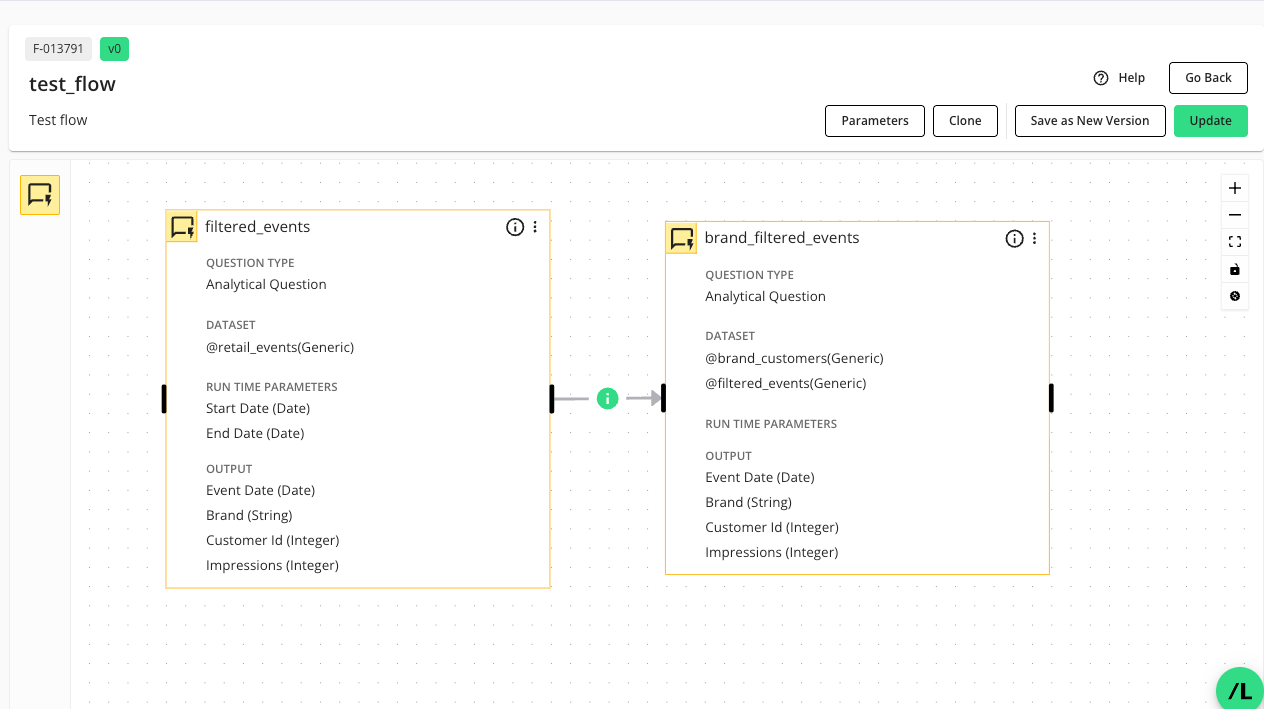
A flow is conceptually similar to Airflow Directed Acyclic Graphs (DAGs) and ETL (Extract, Transform, Load) pipelines, in that it's a sequence of analytic data processing steps where each step might depend on the output of previous steps. The Flows feature does this in a secure, collaboration-focused, and visually accessible manner designed for LiveRamp’s clean room environments.
The Flows feature consists of the following concepts:
Flows: Multi-step analytical pipelines built visually, using "question nodes" as modular workflow components.
Nodes: Modular objects that represent analytic questions or data processing steps in a flow.
Sequencing: Accomplished by connecting nodes in a flow, where the output of one node serves as the input for the next, forming "parent-child" relationships.
Graphical design: Users drag and drop question nodes into a "Flow Builder" canvas, link them, assign datasets, and map fields.
Automation: Flows can be executed manually or scheduled to run automatically (e.g., daily, weekly, or monthly), producing reports and tracked outputs.
Relationship Between Flow Components
Successful flow management requires an understanding of the relationship between question nodes, flows, flow runs, and runtime parameters.
Question Nodes
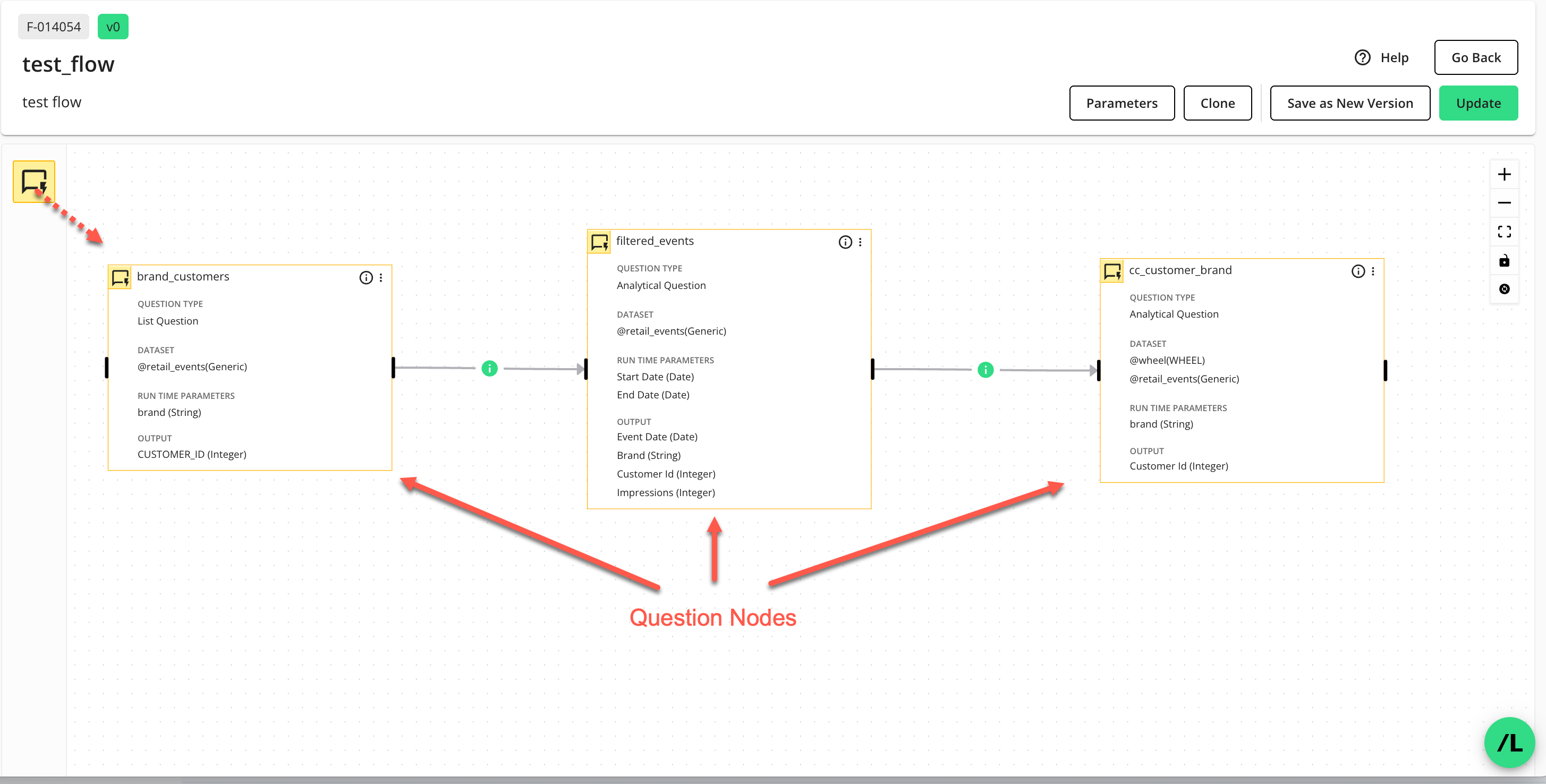
A question node represents a Clean Room question that is placed into a LiveRamp “flow”. Question nodes in a flow let you amplify and extend Clean Room questions by connecting the output of one question to the input of another, forming parent-child relationships to build sophisticated insights.
Flows
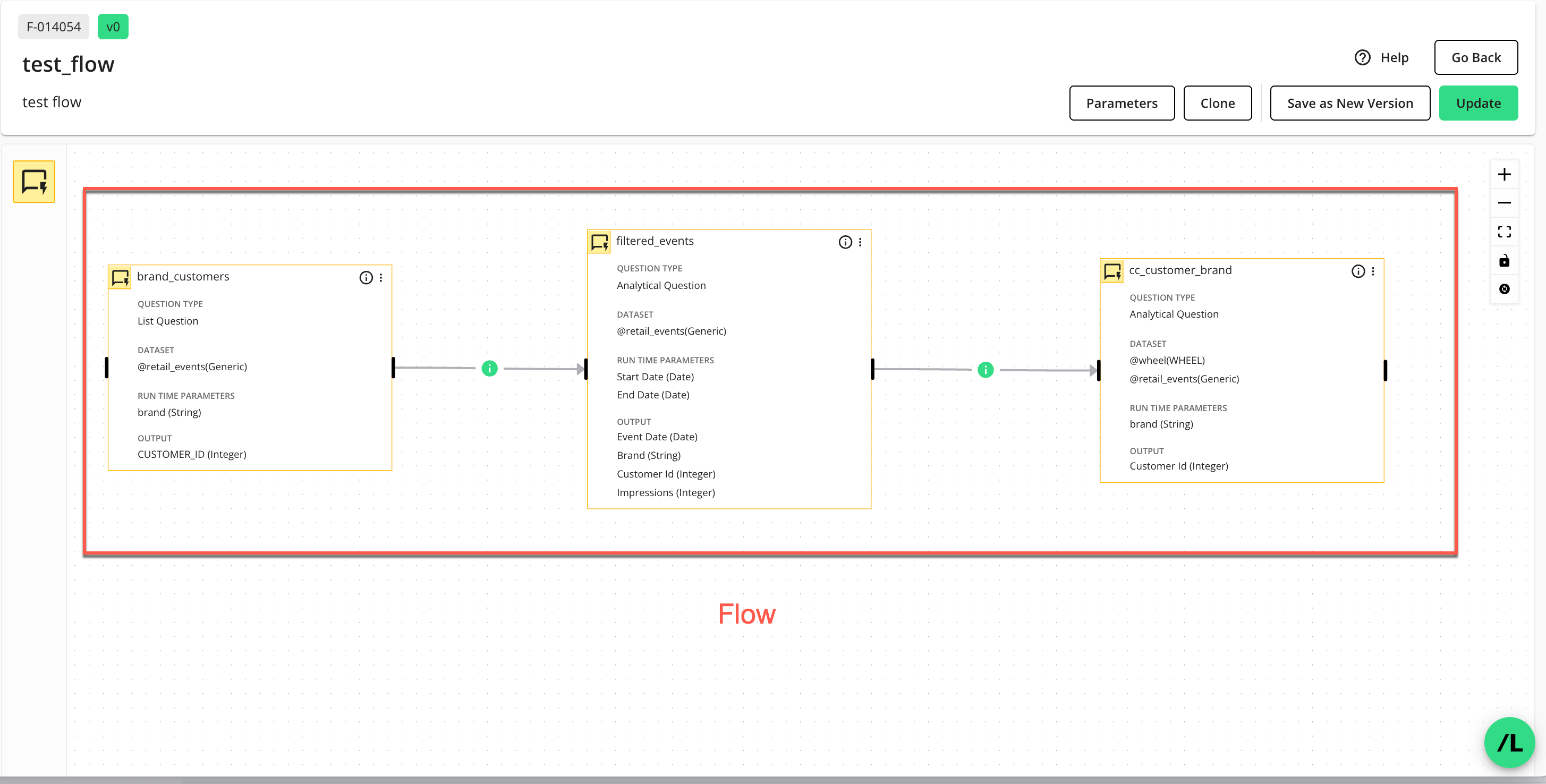
A flow contains question nodes arranged on a "flow canvas" within the Flow Builder. Unlike standalone questions, which are individual analytic or data processing tasks, flows orchestrate multiple questions (question nodes) into a coordinated sequence, supporting richer, multi-stage data analysis within the secure clean room environment.
Flow Runs
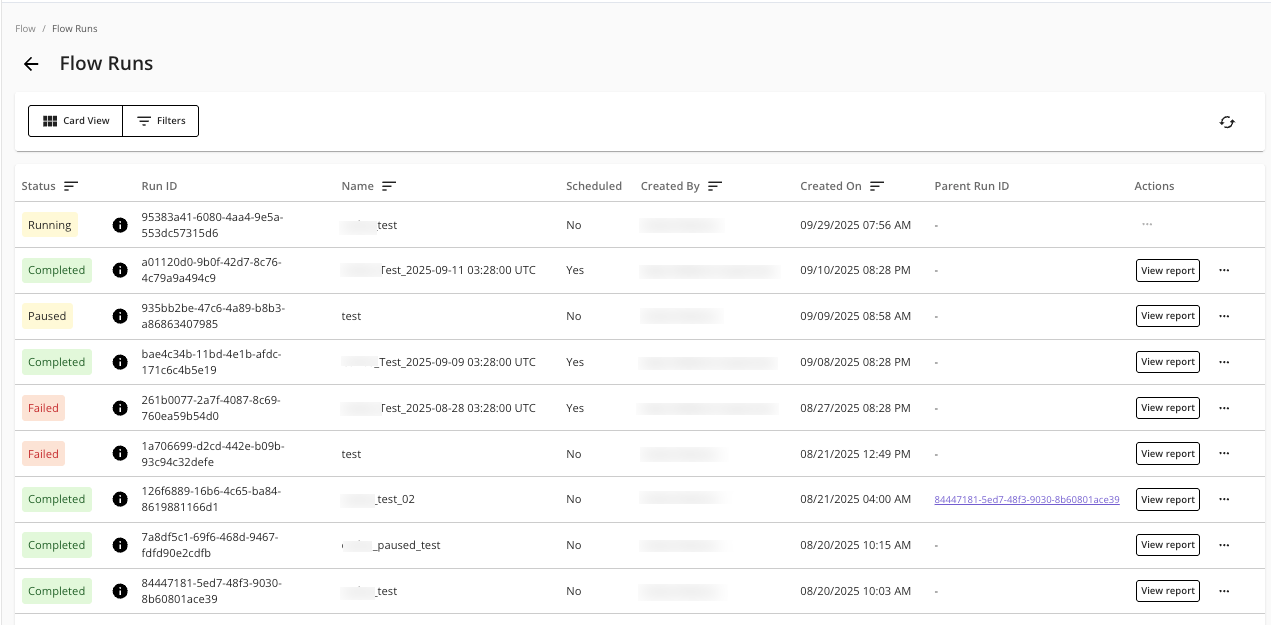
A flow run executes the entire sequence of question nodes contained in the flow. Flow runs can be executed manually or scheduled to automate running the flow. You can create scheduled flow runs to run on a recurring basis, such as daily, weekly, or monthly. This removes the need for manual intervention for repeated analyses.
Note
Flow runs are similar to Clean Room question runs. But flows and flow runs extend the power of running a question by letting you execute multiple questions (via question nodes) in a sequence of parent-child relationships.
Runtime Parameters
In LiveRamp Clean Room, a "parameter" acts as a dynamic variable or placeholder within a question's logic or a flow's configuration, allowing for flexible, reusable, and dynamic reporting and analytics. Understanding the distinctions between runtime parameters at the question, flow, and flow run levels is important for configuring Clean Room flows properly. Each type of runtime parameter serves a different purpose and operates at a specific scope within the process.
The following table lists a comparison of runtime parameters:
Parameter Type | Scope | Who Defines | Function | When Assigned | Example |
|---|---|---|---|---|---|
Question | Single question | Question author | Placeholder in question logic | At question setup / runtime |
|
Flow | Entire flow | Flow designer | Collects all needed parameters | At flow setup / runtime |
|
Flow Run | One flow execution | Flow user or scheduler | Actual value for each parameter | At flow scheduling / runtime |
|
Types of Flow Permissions
When users work with flows in a clean room, two permission types apply:
Clean Room Flow Permissions: These permissions determine what a user can do with flows in a clean room through the role assigned to that user.
Default Partner Flow Permissions: These permissions determine what partner organizations can do with flows authored by another organization in a clean room.
Clean Room Flow Permissions
The clean room flow permissions control what a user can do in a clean room based on the role assigned to that user. In addition to various Clean Room permissions, users of the Flows feature, depending on their roles, will need some or all of the following permissions:
Create, Schedule, and Delete Flow Runs: Allows users to access the Flow Runs and Scheduled Flow Runs pages to create, schedule, reuse, and delete flow runs,
Flow Builder: Allows users to access the Flow Builder page to create, configure, update, edit, clone, and version flows.
Manage Datasets: Allows users to assign datasets to flows.
View-only Flows: Allows users view-only access to flows, flow runs, and scheduled flow runs.
View Reports: Allow users to view the run reports of a flow run.
Note
A user always acts through the role they are assigned in each clean room, constrained by their org-level role.
For more information on designing these types of roles, see “Managing LiveRamp Clean Room User Roles” and “Manage Clean Room Permissions and Controls”.
Default Partner Flow Permissions
The default partner flow permissions determine how partner organizations can interact with flows authored by another organization in the clean room. Flow owners can configure default partner flow permissions to control what partner organizations can do with flows the owner's organization authored in the clean room.
Note
Modifying the default partner flow permissions applies the changes to every flow owned by that organization in the clean room.
These permissions include:
Clone Flows: Allows partners to create a clone of the flow and work from the cloned version
Edit Flows: Allows partners to update the flow
Delete Flows: Allows partners to remove the flow if it is no longer needed
Set Up and Schedule Runs: Allows partners to create flow runs and schedule them on a recurring basis
View Flow: Allows partners to open and review the flow
View Reports and Output: Allows partners to view the results and output for a given flow run
For more information, see “Flow Permissions”.
How Both Permission Types Apply
Depending on what users want to do with a flow, users must have the required clean room flow permissions and default partner flow permissions.
For example, a partner user can set up and schedule runs for a flow only if their role allows the “Create, Schedule, and Delete Flow Runs” clean room flow permission and the flow owner has granted that partner organization the “Set Up and Schedule Runs” default partner flow permission.