Announcement: Improvements to the Notifications Management Experience (1/7/2026)
We have enhanced the notification management feature in Connect by giving the Notifications page a new look and feel and simplifying the notification settings. This enhancement includes an improved capability that allows you to take action on any notification that needs your attention quickly.
Note
All existing notification settings and messages in Connect will automatically be carried over to the updated notification pages. No action is required from you.
Changes to the Notifications Page
Note
To go to the Notifications page, click the Notifications icon and click .
See what has changed below:
New look and feel for the notifications pane and Notifications page, to enhance consistency with the rest of the Connect UI.
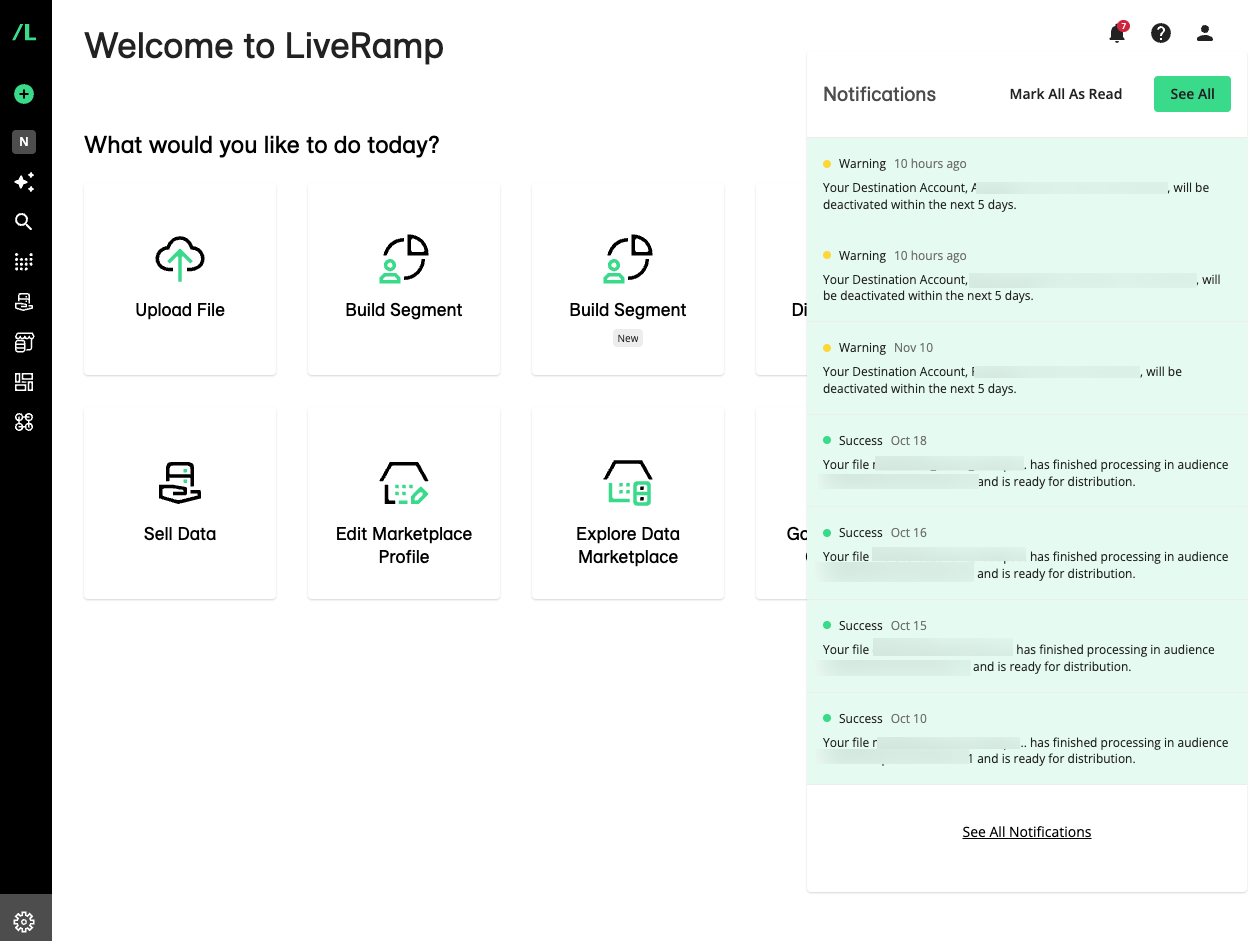
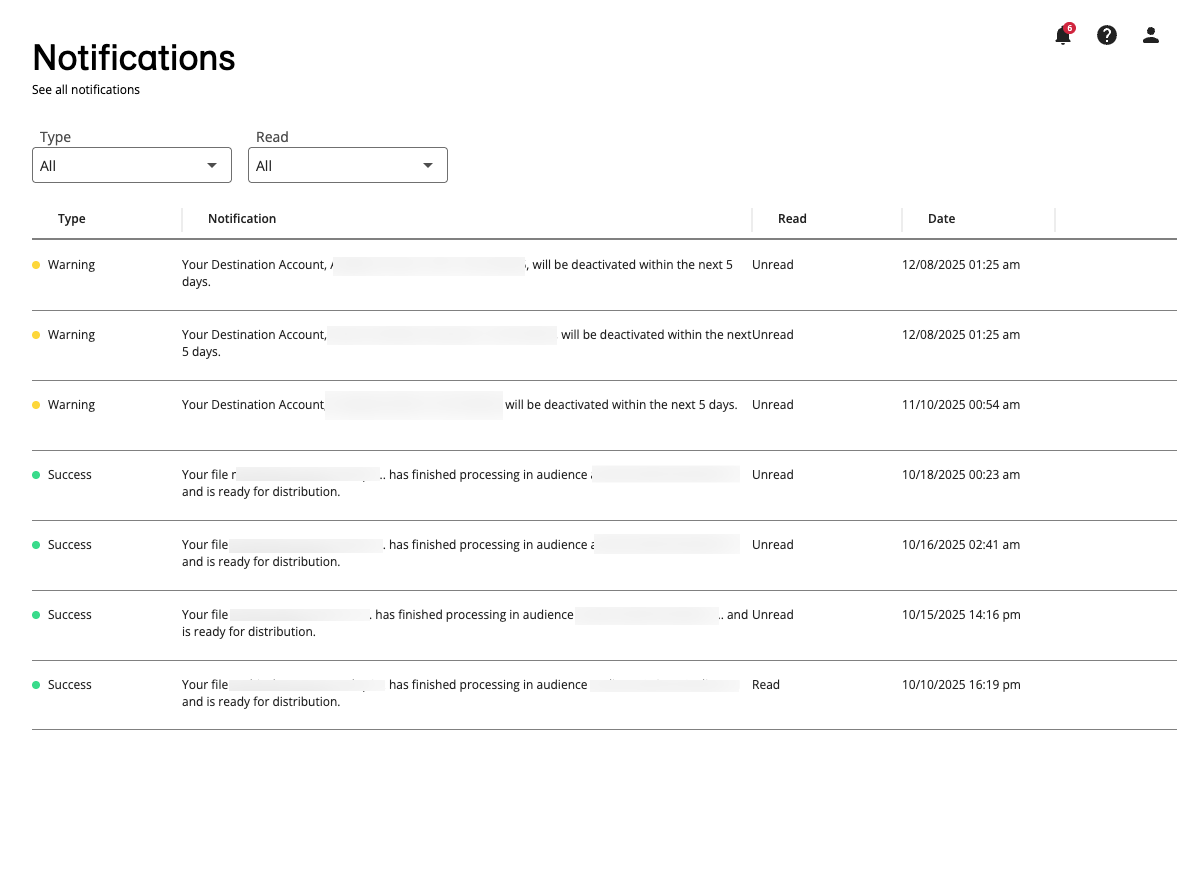
On the Notifications page, clicking on a notification of any type will now take you to the relevant UI in Connect, allowing you to take immediate action when needed.
You can now use the More Options menu to navigate to the Manage Notifications page or mark notifications as "Read".
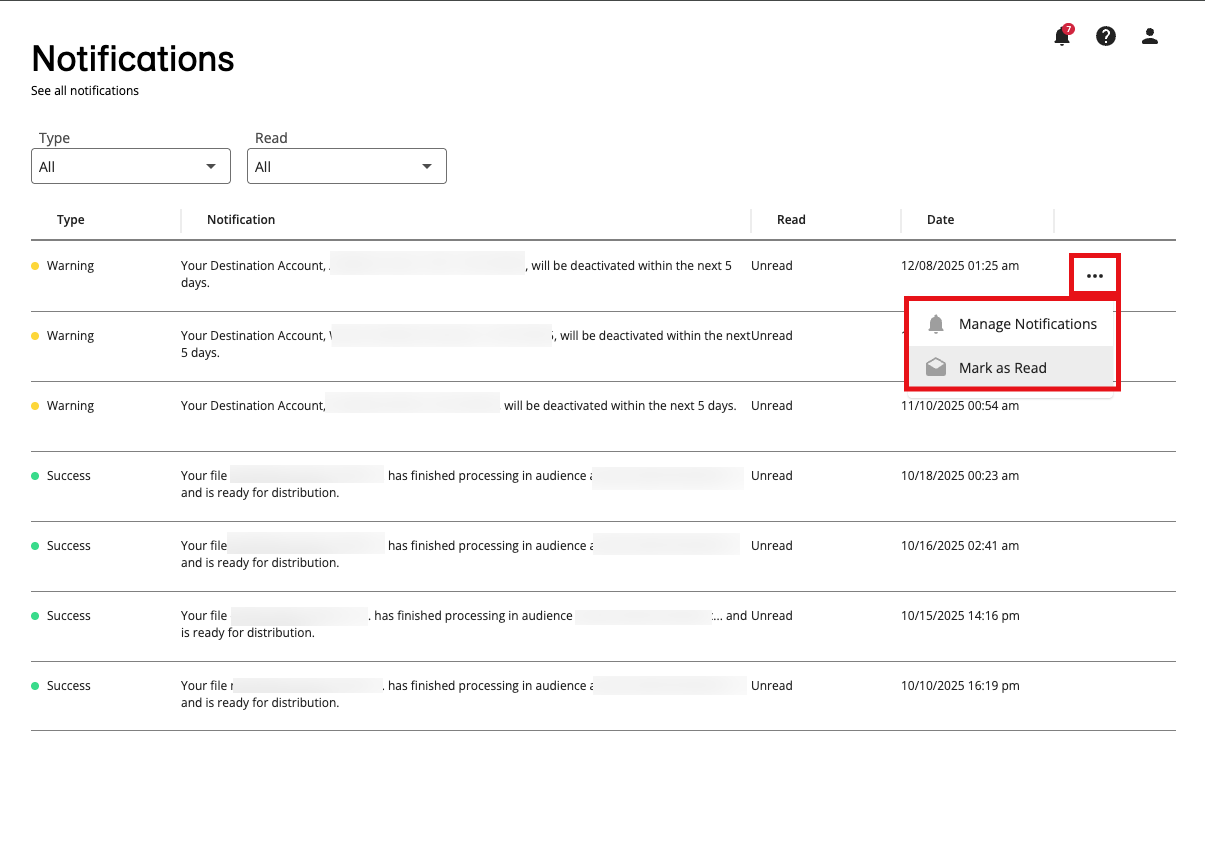
You can no longer delete notifications from the Notifications page. Notifications older than 90 days will not be displayed, regardless of whether or not they are read.
Changes to the Manage Notifications Page
Note
To go to the Manage Notifications page, click the Profile icon in the upper right and then select "Manage Notifications".
The following changes are applied to the Manage Notifications page:
Notification groups are now consolidated under one list ("System Status") for a more simplified look and experience. If you haven’t set up your notification preferences yet, these settings will be enabled by default. The Data Marketplace notification settings for data sellers remain separated.
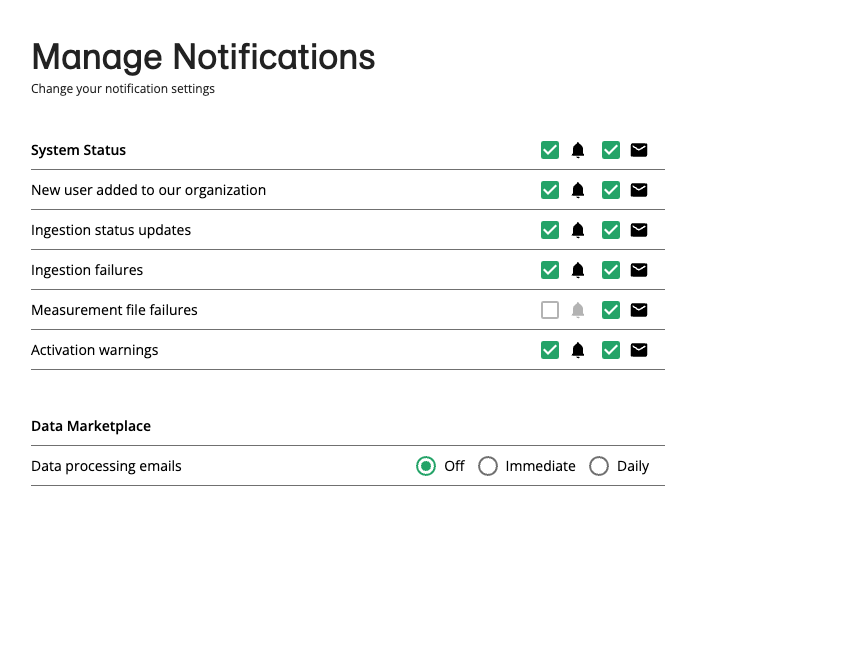
LiveRamp will now automatically detect and save changes to your notification settings. Because of this, the and buttons are no longer available.
To learn more, see "Viewing and Managing Notifications".