Pause a Data Connection
At times, you might want to pause a data connection by setting it to “inactive”. Pausing a data connection can be useful when you expect to resume using that data connection later or want to retain its history for auditing purposes.
Note
If you’re sure that a particular dataset should no longer exist at all in your Clean Room organization, you can delete the data connection associated with that dataset. For more information, see “Delete a Data Connection”.
Once paused, any question runs that use that data connection will continue to run, but will not produce any data.
Situations That Might Require Pausing a Data Connection
Possible reasons for pausing a data connection include the following:
Retiring or replacing a dataset: You’ve created a newer/better data connection (new schema, cleaner data, different grain) and want to stop anyone from using the old one going forward while keeping it around for reference or historical runs.
During migration or schema changes: You’re about to change the underlying table/file (new columns, different partitioning, path changes) and want to prevent new questions or runs from pointing at a moving target until you finish the migration and re‑mapping.
Data quality or incident triage: You’ve detected bad data (incorrect joins, partial loads, wrong currency, mis‑hashed IDs, etc.). Pausing/inactivating the connection lets you stop new runs and new question assignments against that dataset while you investigate and fix the upstream issue.
Governance / access control changes: A dataset is no longer allowed for collaboration (policy change, contract expiry, expired consent, partner offboarding). Marking the connection inactive is a way to enforce “no new use” without hard‑deleting configuration that may be needed for audits.
Cost and performance management: Very large or high‑cardinality datasets can be expensive to query. If they’re only needed occasionally, a user might pause the connection so it isn’t accidentally used in exploratory questions or templates that would trigger costly runs.
Cleaning up clutter in the UI: Over time, orgs accumulate “test,” “QA,” and obsolete connections. Setting them to inactive/paused can declutter the Active view and reduce the risk that someone accidentally provisions or assigns the wrong dataset.
Steps to Pause a Data Connection
To pause a data connection:
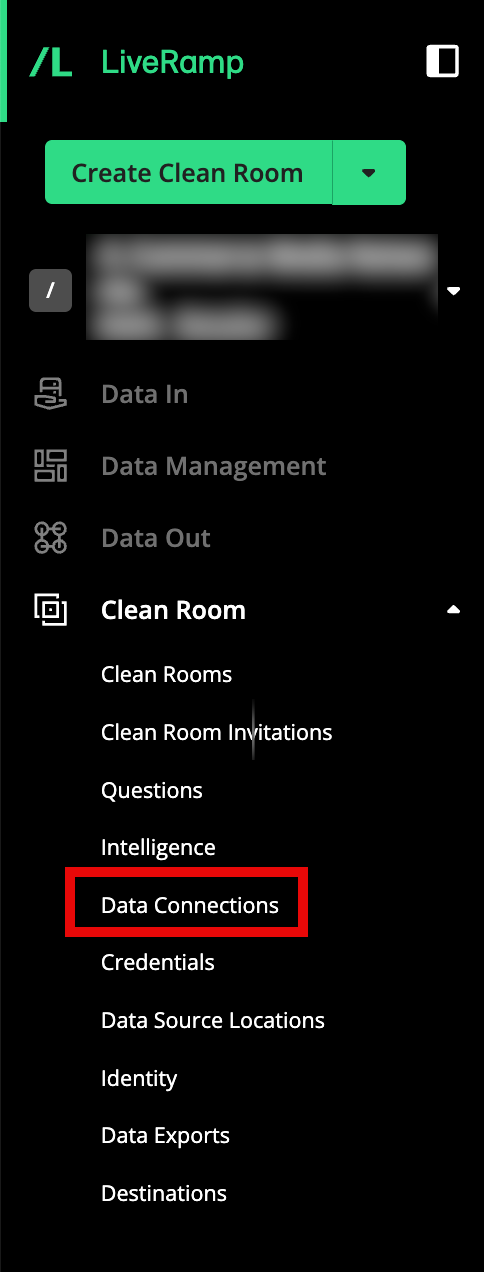
From the navigation menu, select Clean Room → Data Connections to open the Data Connections page.
From the row for the data connection you want to pause, slide the “Status” toggle to the left.