Announcement: Easily Activate Segments to Multiple Destinations (3/11/26)
We're excited to announce a new feature for your activation and segment management experience that will help simplify the activation of your data.
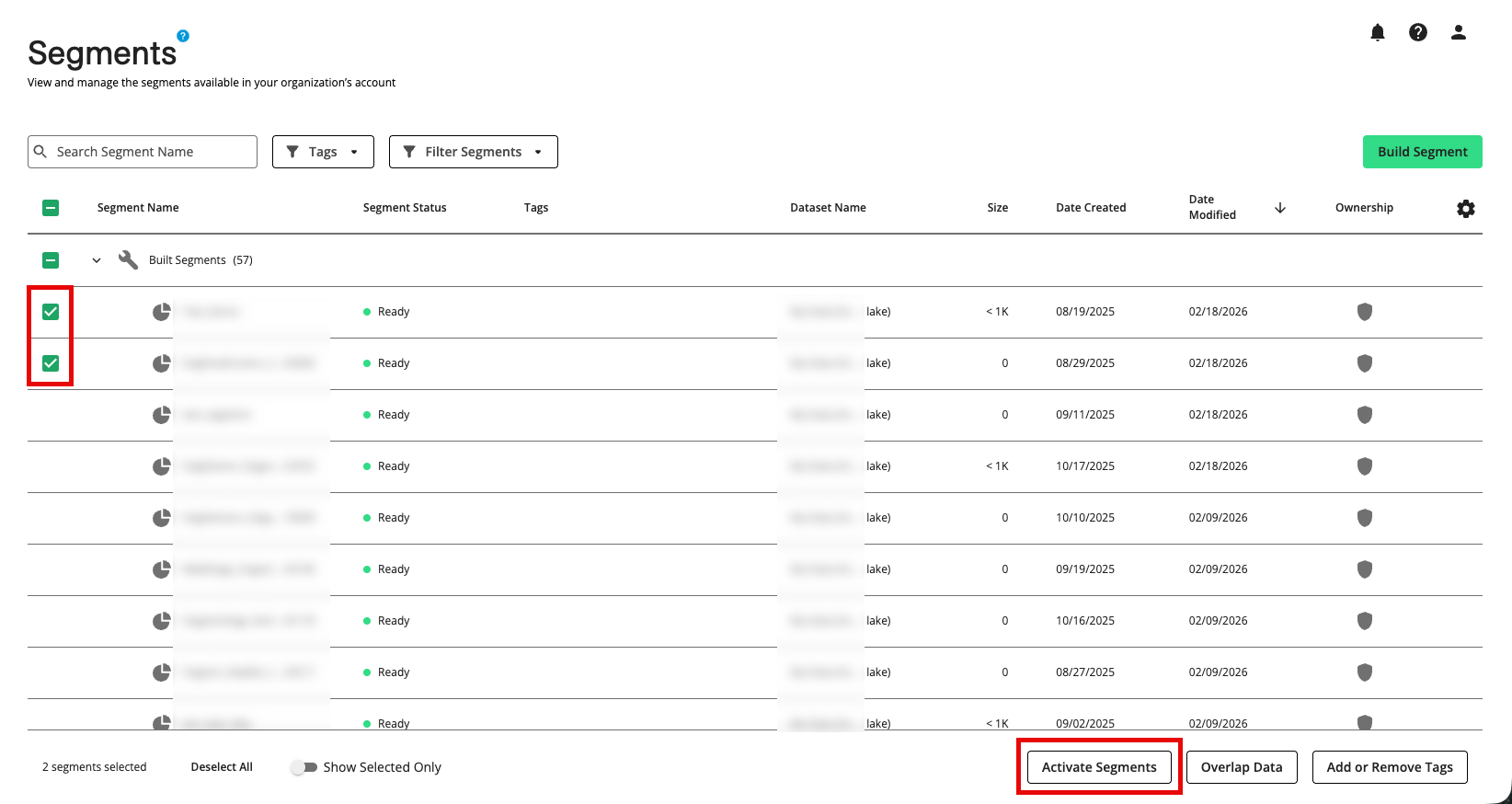
You can now activate data directly from the Segments page by selecting multiple segments and activating them to multiple destination accounts in a single workflow:
Select the segment(s) you want to activate.
Click the button that appears in the footer.
Your list of destination accounts appears and you can select one or more destination accounts.
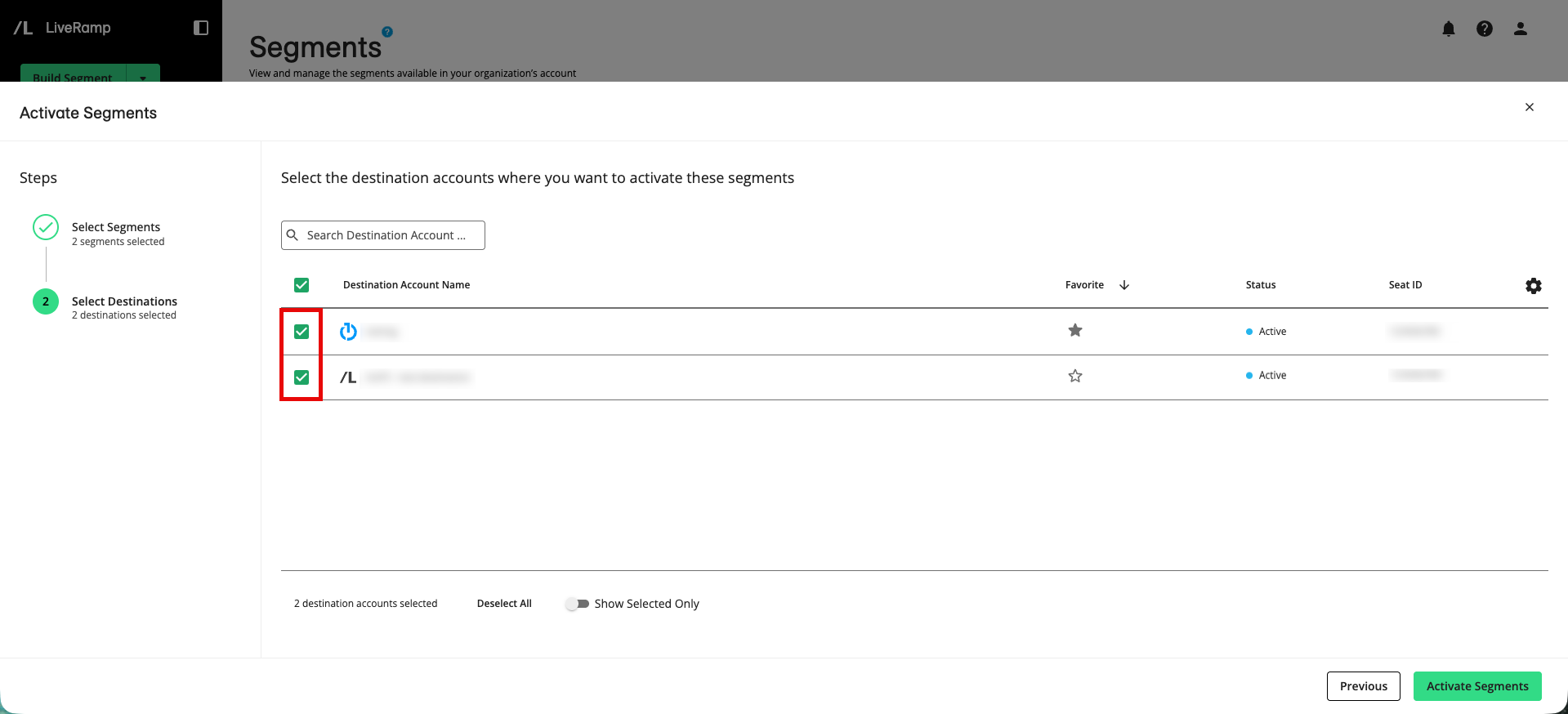
Click and those segments will be added to the selected destination accounts and distributed to those destinations.
A success message appears:

You should see your segments in the destination platforms within 1-3 days. To check on the delivery status, see "View Delivery Status". If your segments are not showing up on the platform, see "Troubleshoot Distributions to Destination Accounts" or resend the active segments.
For more information, see “Distribute Segments from the Segments Page”.