Announcement: Segment Builder Improvements (10/26/26)
We’re excited to share the next set of improvements to the Segment Builder, designed to make segment building more flexible, transparent, and easier to manage from start to finish.
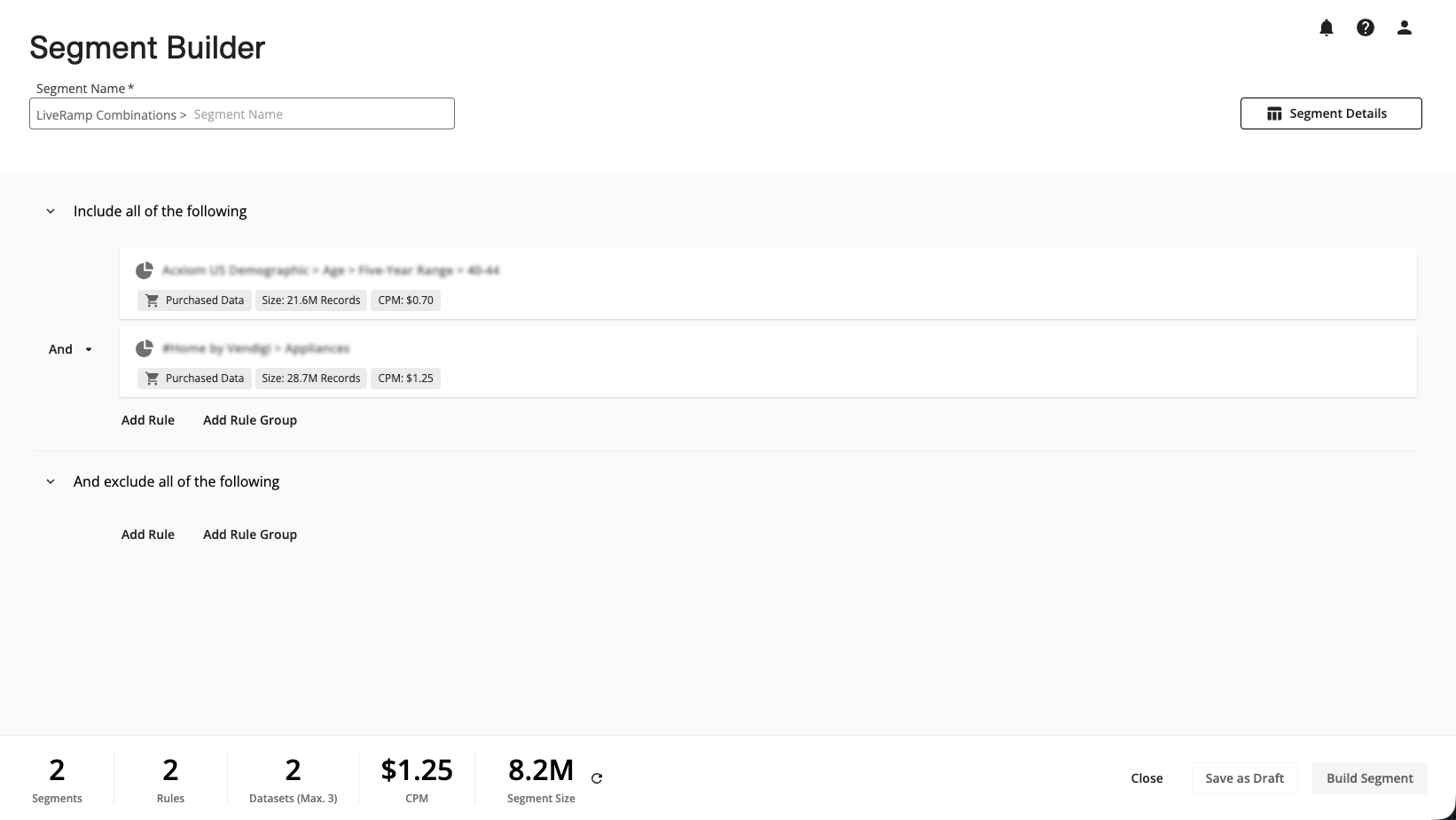
When you use the Segment Builder, you’ll now get the following new features:
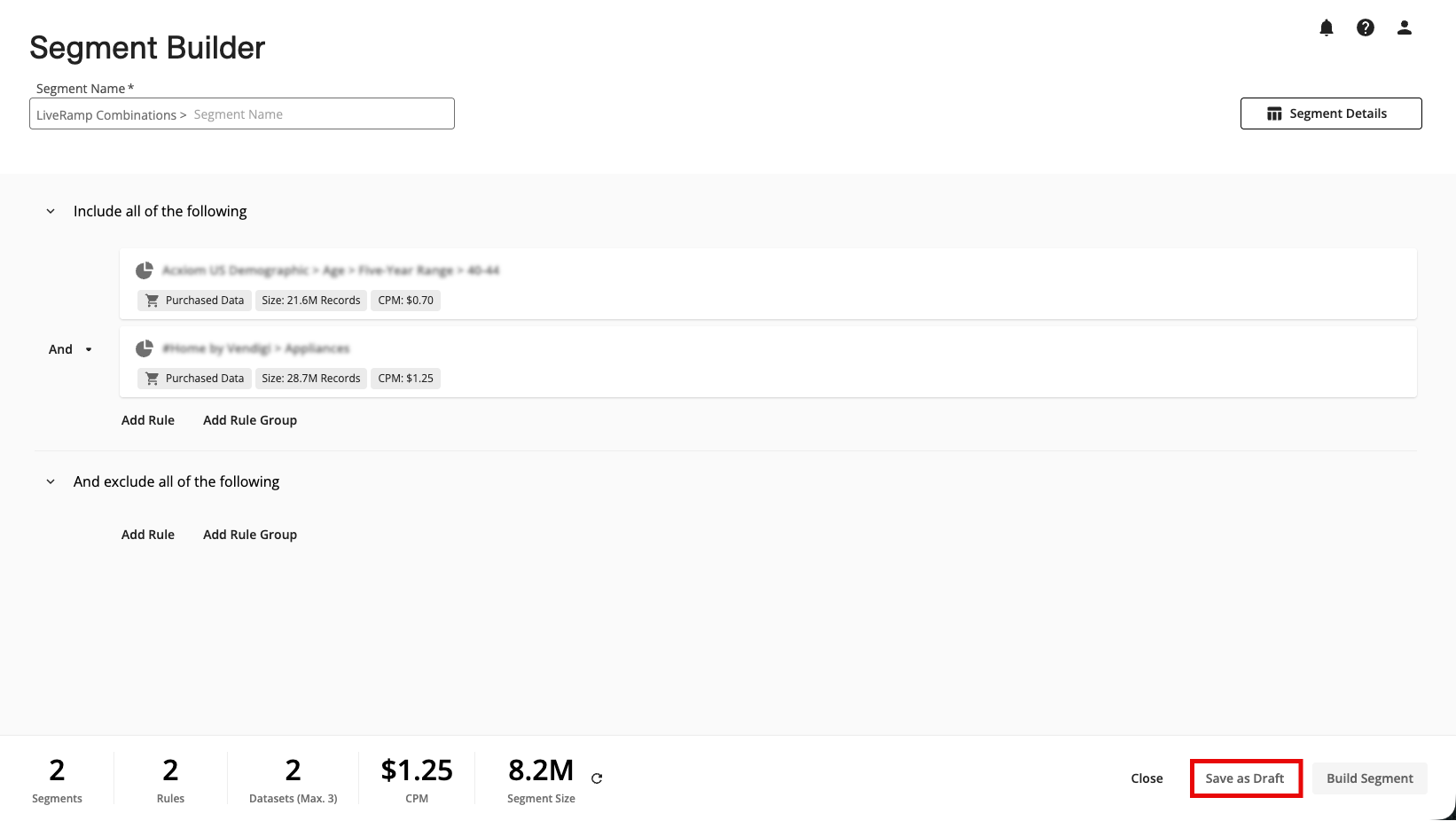
Full-page experience: Build and configure segments in a dedicated full-page builder, with a more complete workflow for viewing metrics, Test/Control, Overlaps, and building, such as the following features:
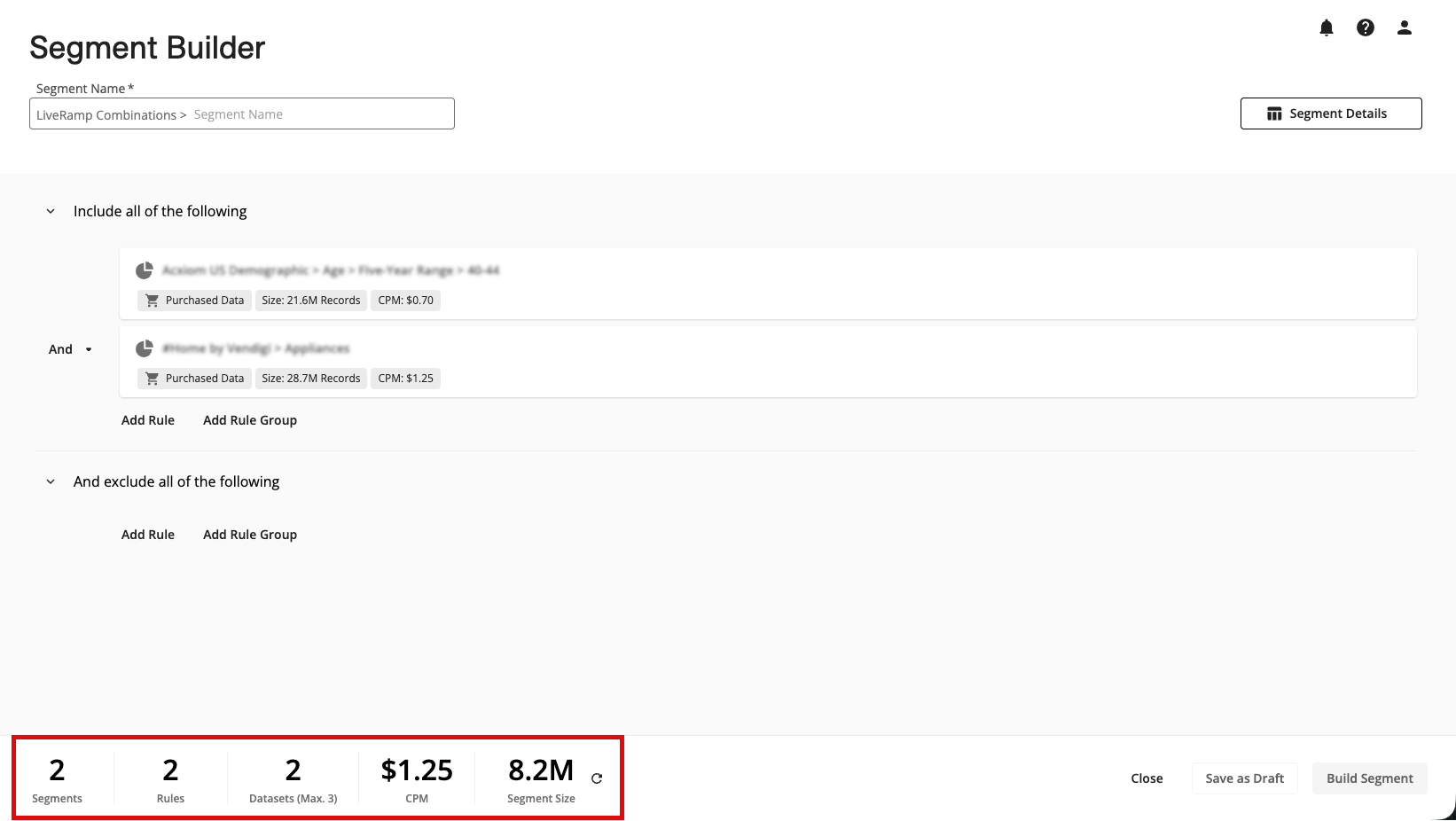
A metrics footer that allows you to more easily see key information, such as the number of segments, rules, and datasets the segment currently includes, as well as the CPM (for any segments that contain Data Marketplace data) and segment size.
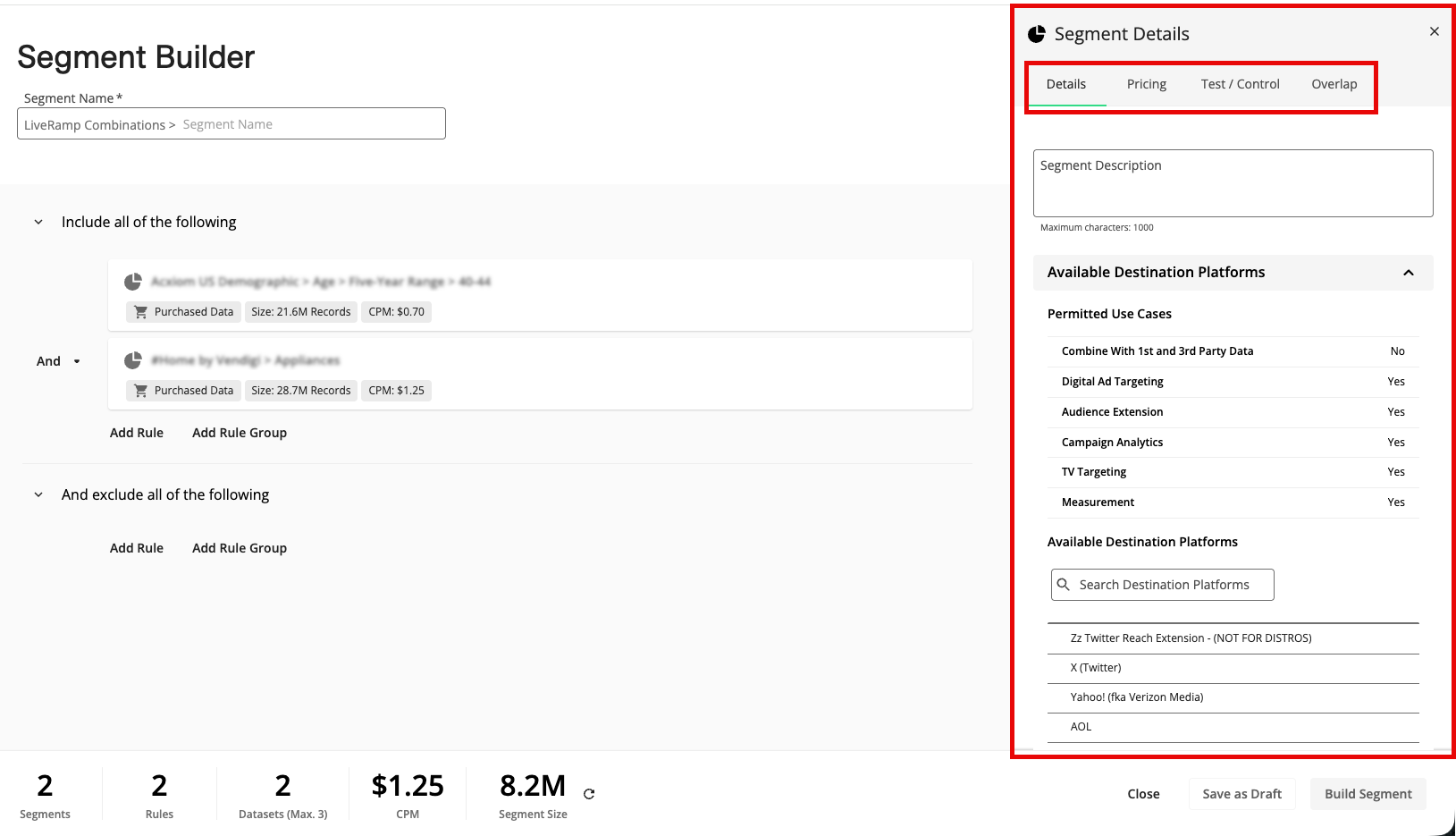
A details panel where you can view details (such as permitted use cases and available platforms for segments that are subject to permissions), view pricing (for segments containing Data Marketplace data), split the segment into test and control segments, and perform overlaps. To open the details panel, click .
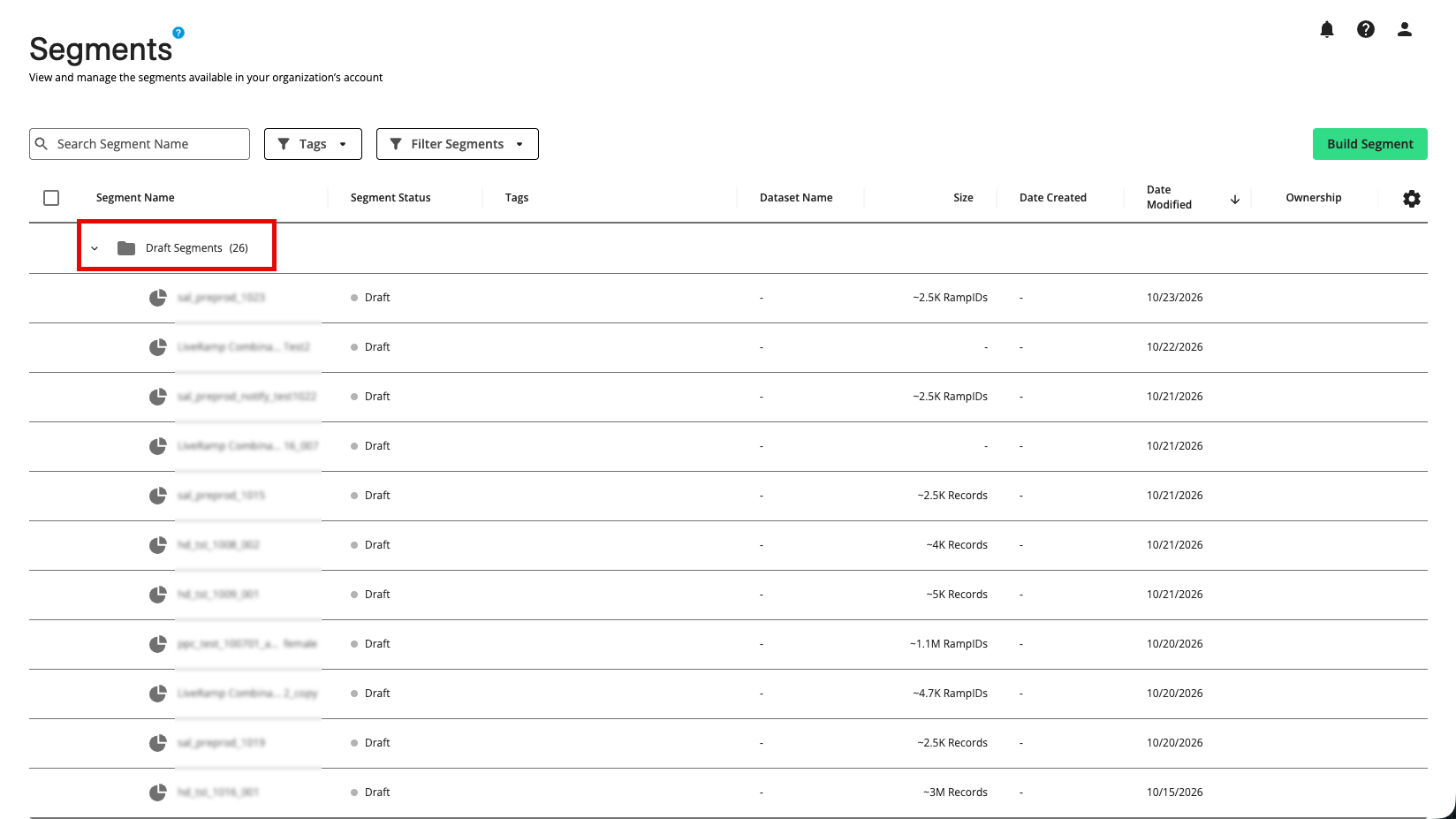
Save segments as drafts: You can now save your work in progress as a draft, return to it later, and continue building the segment. Draft segments are saved in a “Drafts” folder on the Segments page. This can be useful if a segment size calculation is taking longer than expected but you want to see that size before building the segment or if you simply want to return to the building process later without losing your work.
Size calculation notifications: You can now enable size calculation notifications (both in-app and email) to make you aware of when a size calculation has completed or has failed, reducing your need to come back and check manually when a size calculation is taking longer.
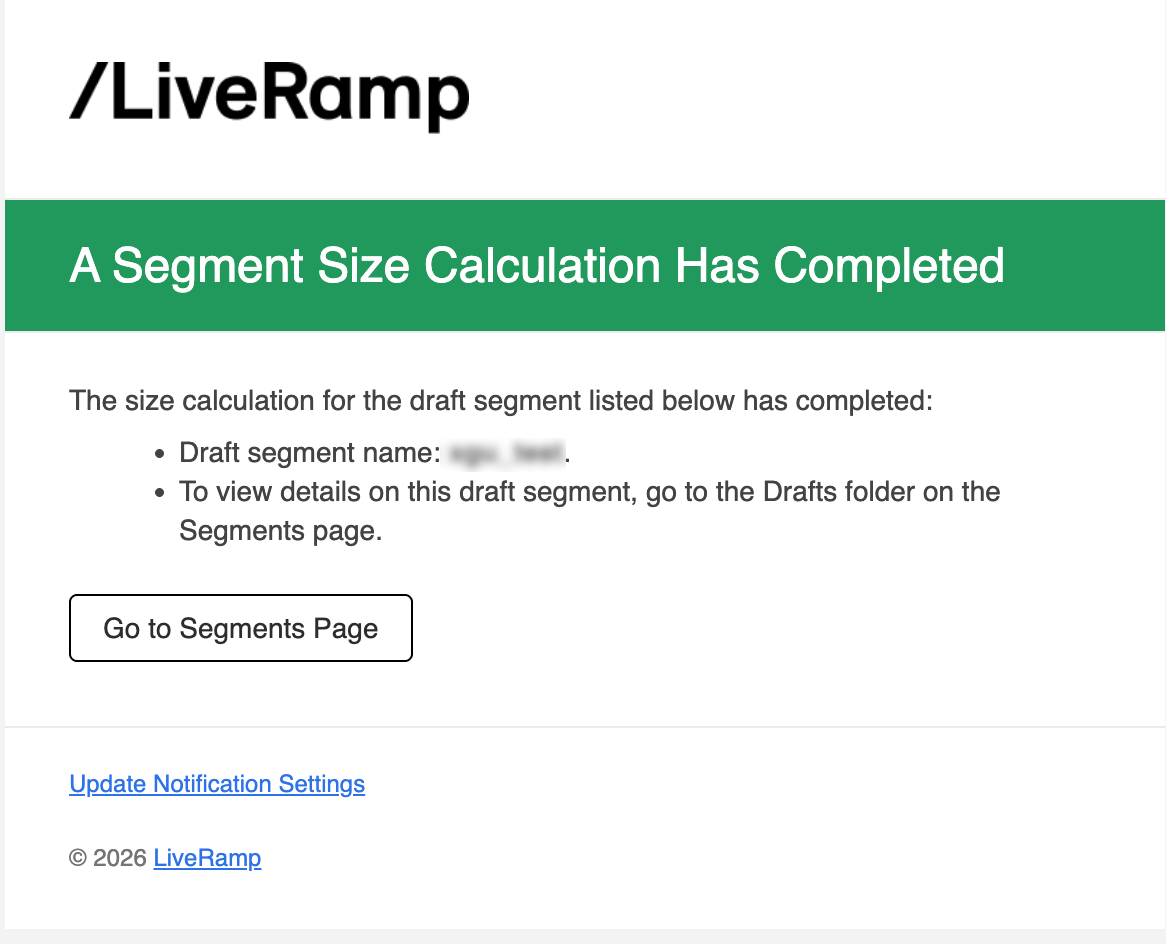
See the “Enabling Size Calculation Notifications“ section below for information on enabling these notifications.
Selectable modeling universes: Choose from different modeling universes (such as AIQ, Adstra, etc.) used for lookalike modeling, giving you more control over how lookalike segments are built.
Together, these updates improve the end-to-end segment building experience, from drafing the segment and reviewing counts to refining the segment and building it. For more information on using the Segment Builder, see “Build a Segment with the Segment Builder”.
Enabling Size Calculation Notifications
When a segment size calculation is taking longer than expected, you can enable notifications (in-app and/or email) to let you know when the segment size calculation has completed (or failed):
Note
The notifications must be enabled per individual user.
You can first save the segment as a draft so that you can come back to the segment draft later without losing your work.
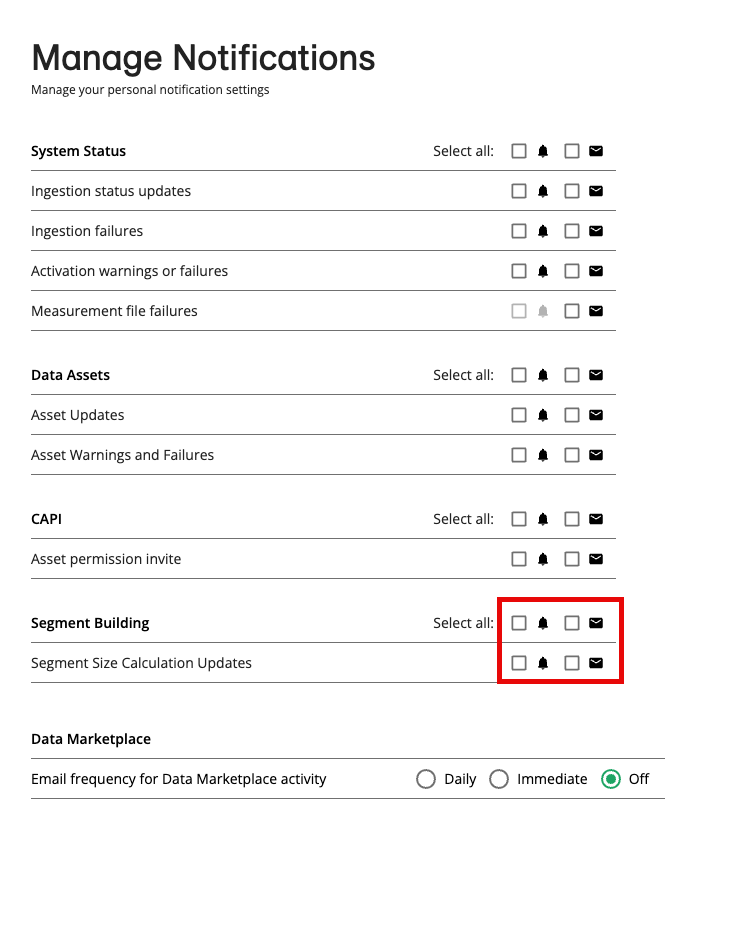
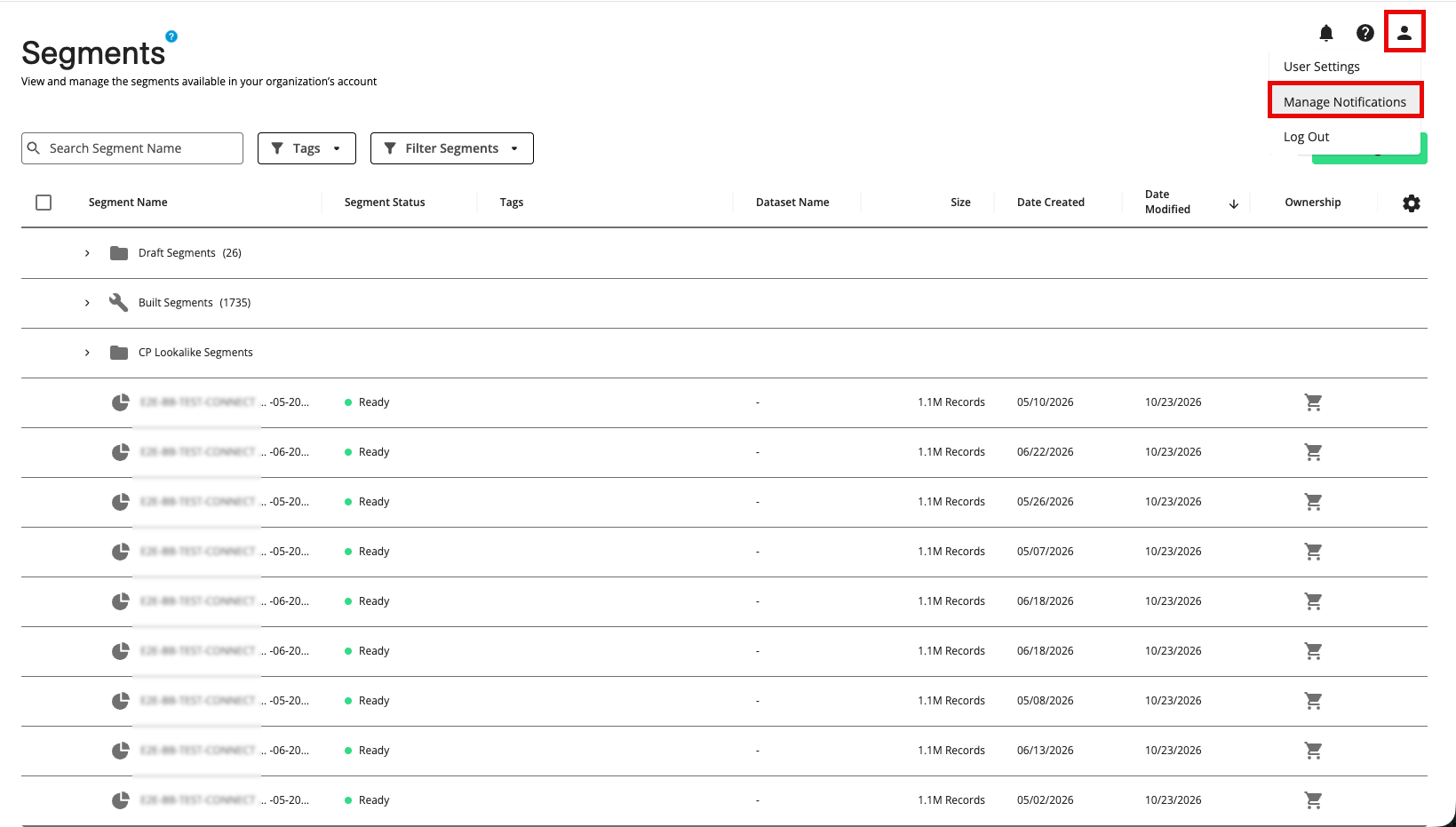
From any page in Connect, click the Profile icon and then select Manage Notifications.
From the Manage Notifications page, check the appropriate check boxes to enable your desired segment size calculation update notifications (the Bell icon is for in-app notifications and the Envelope icon is for email notifications.