LiveRamp Embedded Identity in Databricks
LiveRamp's Embedded Identity is available in Databricks through a packaged clean room. A packaged clean room is a pre-defined analysis packaged by one party for another party to run. This allows you to access Identity Resolution functions as a notebook for execution on data residing in your Databricks account. None of your data is accessible by LiveRamp and none of our data is accessible by you with the packaged clean room functionality.
There are two available operations that you can perform using Embedded Identity in Databricks:
RampID Identity Resolution: This solution allows you to resolve an identifier (PII, such as name, address, email, hashed email, or phone) to LiveRamp's person-based, pseudonymous identifier, RampID. For more information, see "Perform RampID Identity Resolution in Databricks".
Note
This workflow is in limited availability and is by invitation only.
RampID Translation: You can translate RampIDs in one domain to RampIDs in another domain. Translation converts or translates the pseudonymous person-based identifier (the RampID) for use by another party. For more information, see "Perform RampID Translation in Databricks".
Enabling LiveRamp Embedded Identity in Databricks
To enable LiveRamp Embedded Identity in Databricks, the following tasks must be performed:
You execute an agreement with LiveRamp to access the service.
LiveRamp reviews the use case, including any additional Data Ethics reviews if required.
If you don’t already have credentials for LiveRamp's Identity API, LiveRamp sends you a client ID and a secret for authentication (for more information, see the "Authentication" section below).
Note
We recommend that clean room creation be performed by a user with the following permissions: CREATE CLEAN ROOM, CREATE SHARE, CREATE RECIPIENT, USE SHARE, and USE RECIPIENT.
Once these steps have been performed, you can perform identity resolution operations in Databricks.
Authentication
The LiveRamp Identity Service in Databricks relies on the same authentication service as LiveRamp's AbiliTec API and RampID API (Identity APIs). If you have credentials for those APIs, you can use your previously assigned credentials. If you do not already have credentials for one of LiveRamp's Identity APIs, LiveRamp will send you a client ID and a secret for authentication.
Authenticating with LiveRamp's Embedded Identity service requires a call to LiveRamp's core services within the process.
Client credentials are used to obtain an access token by passing the client ID and client secret values. For information, see "About Identity Authentication".
Create a Packaged Clean Room
To create a packaged clean room in Databricks:
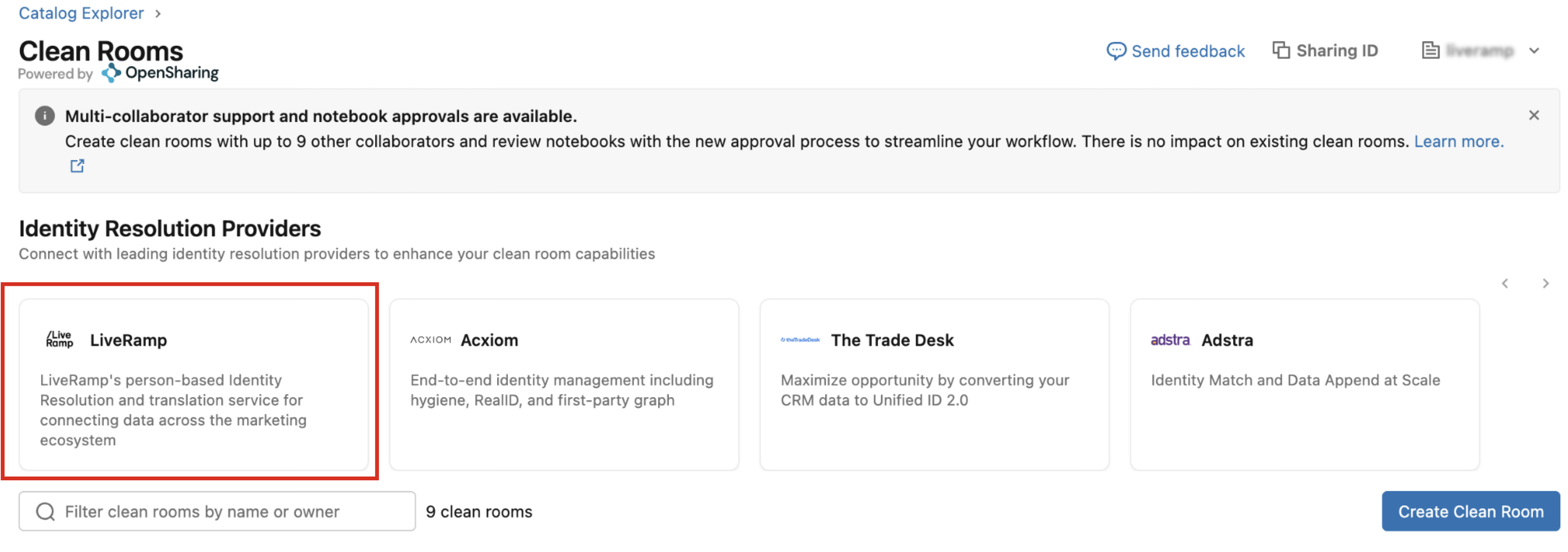
In Databricks, navigate to Clean Rooms within the Catalog Explorer.
From the list of Identity Resolution providers, click the LiveRamp tile.
Enter a name for your clean room (lowercase letters, numbers, and underscores only).
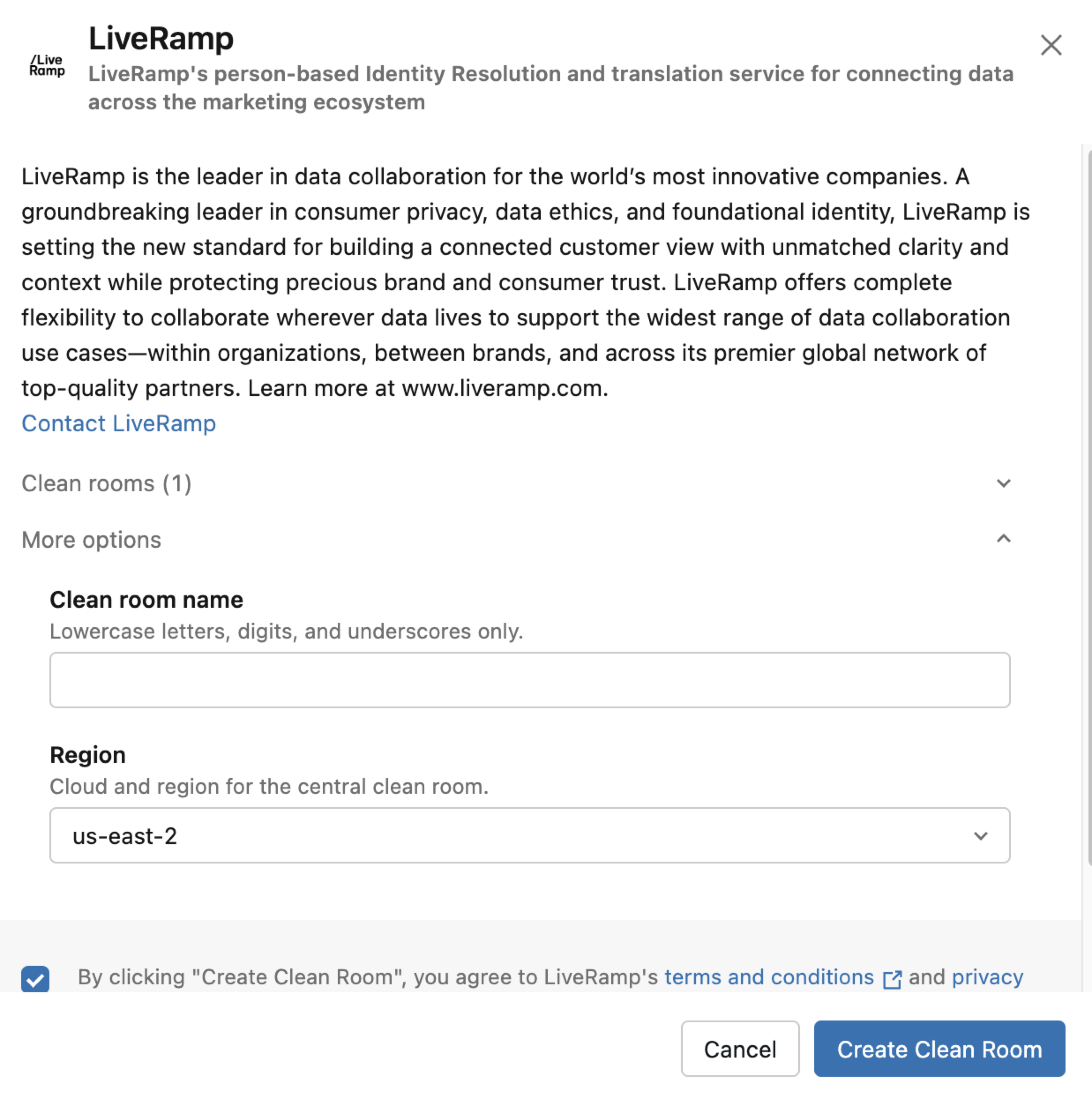
Select the region for the clean room.
Check the check box to agree to the terms and conditions.
Click .
Once the creation process completes, the new clean room now appears in your list of clean rooms and can be used to perform identity resolution in Databricks.
Note
The user that creates the clean room becomes the clean room owner. Additional users can be granted access to the clean room to perform those tasks by giving them the ALL PRIVILEGES permission, but only the user that creates the clean room will be the clean room owner.