Perform RampID Identity Resolution in Databricks
LiveRamp's RampID Identity Resolution capability in Databricks allows for the translation of various identifiers to RampIDs. This allows you to resolve personally-identifiable information (PII) or device identifiers to a persistent pseudonymous identifier for persons and households. You can also input an individual-based RampID and get back any household-based RampID that might be associated with that individual.
Note
For more information about RampIDs, see "RampID Methodology".
This workflow is in limited availability and is by invitation only.
Once you've translated your data to RampIDs, you can then share that data to your LiveRamp account for activation.
The following identifiers can be resolved:
Names
Postal addresses
Email addresses
Phone numbers
IP addresses
Cookies
MAIDs (mobile device IDs)(plaintext and SHA1, SHA-256, and MD5 hashes)
CTV IDs (Connected TV Device IDs)
CIDs (custom identifiers)
Person-based, maintained RampIDs (for resolution to household RampIDs)
Based on the type of identifier you’re resolving, you might receive one RampID per identifier or multiple RampIDs per identifier:
For PII touchpoints (in PII or email resolution), you can choose to receive from 1 to 10 RampIDs (if available).
For cookie and mobile device ID resolution, typically one RampID is returned (but shared touchpoints with more than one RampID can exist).
For CTV identifiers, it is common to receive multiple individual RampIDs per identifier.
For existing CID syncs, the number of RampIDs will vary.
When resolving individual RampIDs to household RampIDs, only one household RampID is returned.
These capabilities are available within Databricks through a packaged clean room.
Once you have set up the packaged clean room, performing identity resolution with LiveRamp Identity in Databricks requires the creation of two tables: A metadata table and an input table.
Overall Steps
Perform the following steps to perform RampID identity resolution in Databricks:
Runs the notebook to perform identity resolution and write the results to an output table.
If desired, view logging and metrics in the output schema.
See the sections below for information on performing these tasks.
Create the Input Table
An input table needs to be prepared for each identity resolution operation.
When creating tables, keep the following guidelines in mind:
The column names for the input table can be whatever you want to use, as long as the names match the values specified in the metadata table and match Databricks column name syntax without special characters (for more information, see Databricks's documentation). However, for any attribute columns that will be returned in the output table, the column name can only contain letters, numbers, and underscores if the output table will be used for activation in LiveRamp Connect.
Do not use any column names that are the same as the column names returned in the output table for the identity resolution operation you're going to run.
Every column name must be unique in a table.
See the section below for suggested input table columns and descriptions.
An output table is created when you run the operation. For an example, see the "View the Output Table" section below.
Input Table Columns for PII Resolution
The standard PII resolution process passes the data through a privacy filter which removes the PII and reswizzles the table. Because of this, any attributes you need to keep associated with the identifier need to be included in the input table. For more information, see the "Privacy Filter" section below.
These column names cannot be used in the input table for PII resolution:
RampID
__lr_rank
__lr_filter_ name
See the table below for a list of the suggested input table columns and descriptions for PII resolution.
Suggested Column Name | Example | Description |
|---|---|---|
| John | You can include separate first name and last name columns or you can combine first name and last name in one column (such as “name”). |
| Doe | You can include separate first name and last name columns or you can combine first name and last name in one column (such as “name”). |
| 123 Main St | You can include separate address 1 and address 2 columns or you can combine all street address information in one column (such as “address”). |
| Apt 1 |
|
| Smalltown | When matching on address, |
| CA |
|
| 12345 |
|
| john@email.com |
|
| 8c9775a5999b5f0088008c0b26d7fe8549d5c80b0047784996a26946abac0cef |
|
| 555-123-4567 |
|
| For PII resolution, you can include columns with attribute data. These columns will be returned in the output table (for more information, see the "View the Output Table" section below). |
Input Table Columns for Device ID Resolution
The device ID resolution operation can be used for the following purposes:
To translate device identifiers (cookies, MAIDs, IP addresses, and CTV IDs) into individual RampIDs
To translate individual RampIDs into their associated household RampIDs
See the tables below for a list of the suggested input table columns and descriptions for these device ID resolution options.
Note
You can include columns with attribute data, but these columns will not be returned in the output table.
For hashed MAIDs that do not match a record in the LiveRamp graph, a placeholder RampID will be returned (rather than dropping the row). This ensures output record counts match input record counts. For more information, see “RampID Types”.
See the table below for the suggested input table column and description for translating device identifiers.
Suggested Column Name | Example | Description |
|---|---|---|
| 1f4d256c-1f08-41f6-a108-bbe511de9497 | Can be one of the following identifiers:
|
| 99ec2a80a62e95be277b24fce6dbd4cb0d50cc2021c438c0f7ee61ed6780cacc |
|
See the table below for a list of the suggested input table columns and descriptions for translating individual RampIDs into their associated household RampIDs.
Suggested Column Name | Example | Description |
|---|---|---|
| XYT999wXyWPB1SgpMUKlpzA013UaLEz2lg0wFAr1PWK7FMhsd |
|
Input Table Columns for CID Matching
See the table below for the suggested input table column and description for CID matching. This process enables the retrieval of an existing CID to RampID mapping, hosted by LiveRamp.
Note
You can include columns with attribute data, but these columns will not be returned in the output table.
Suggested Column Name | Example | Description |
|---|---|---|
| b916clarib la1;blNj10gtQjQ3QUEwMTNEMTcaktboEc0g9022cxoiaklr20185 | The CID for translation to a RampID |
Create the Metadata Table
A metadata table can be reused for multiple operations, but a separate metadata table must be prepared for each different identity resolution operation you want to perform. For example, if you’re going to perform identity resolution on both MAIDs and PII, you’ll need a different metadata table for each operation.
Create the Metadata Table for PII Resolution
To create the metadata table for PII resolution, update the following variables in the sample SQL shown below and then run the SQL:
<client_id>: Enter either an existing client ID or a new one provided in implementation (for more information, see “Authentication”).<client_secret>: Enter the password/secret for the client ID.<up to 4 name column names>: Enter the names of the columns in the input table to be used for the “name” element. Each input table column name should be enclosed in double-quotes. Enter a maximum of 4 name columns. If entering multiple column names, separate the column names with commas.<up to 7 address column names>: Enter the names of the columns in the input table to be used for the "address" element. Each input table column name should be enclosed in double-quotes. Enter a maximum of 7 address columns. If entering multiple column names, separate the column names with commas.<city column>: Enter the name of the column to be used for the "city" element.<state column>: Enter the name of the column to be used for the "state" element.<zipcode column>: Enter the name of the column to be used for the "zipcode" element.<phone column>: Enter the name of the column to be used for the "phone" element.<email column>: Enter the name of the column to be used for the "email" element.<hashed_email>: Enter the name of the column to be used as the “hashed email” element.
Note
You can specify the number of RampIDs to be returned for each set of PII, to a maximum of 10 RampIDs per PII set. By default, 1 RampID will be returned per PII set. To change this, replace the “1” in the “as limit” line at the bottom of the SQL sample shown below with your desired number.
The metadata table configures how LiveRamp processes your input. Create exactly one row in the metadata table for the job (it does not accept multiple job configurations).
CREATE TABLE <catalog>.<schema>.pii_meta_table (
   config VARIANT
);
INSERT INTO <catalog>.<schema>.pii_meta_table VALUES (
   PARSE_JSON('{
       "client_id": "<your_client_id>",
       "client_secret": "<your_client_secret>",
       "execution_mode": "resolution",
       "execution_type": "PII",
       "input_table": "<catalog>.<schema>.pii_input_table",
       "output_table": "pii_output_table",
       "target_columns": {
           "name": ["FIRSTNAME", "LASTNAME"],
           "streetAddress": ["ADDRESSLINE", "ADDRESSLINE2"],
           "city": "CITY",
           "state": "STATE",
           "zipCode": "ZIPCODE",
           "phone": "PHONE",
           "email": "EMAIL",
           "hashed_email":"HASHED_EMAIL"
       },
       "limit": 1
   }')
);
Create the Metadata Table for Device ID Resolution
To create the metadata table for device ID resolution, update the following variables in the sample SQL shown below and then run the SQL:
<client_id>: Enter either an existing client ID or a new one provided in implementation (for more information, see “Authentication”).<client_secret>: Enter the password/secret for the client ID.<execution_type>: Enter the execution type:Enter
Cookiesto resolve cookiesEnter
MAIDto resolve mobile device IDsEnter
CTVto resolve CTV IDsEnter
IPto resolve IP addressesEnter
HHLinkto resolve individual RampIDs into household RampIDs
<column to be resolved>: Enter the name of the column containing the device identifiers (cookies, MAIDs, IP addresses, or CTV IDs) or RampIDs to be resolved.
CREATE TABLE <catalog>.<schema>.pii_meta_table (
   config VARIANT
);
INSERT INTO <catalog>.<schema>.pii_meta_table VALUES (
   PARSE_JSON('{
       "client_id": "<your_client_id>",
       "client_secret": "<your_client_secret>",
       "execution_mode": "resolution",
       "execution_type": "cookies",
       "input_table": "<catalog>.<schema>.<input_table>",
       "output_table": "<catalog>.<schema>.<desired_output_table>",
       "target_column": “device_id”
   }')
);
Set the Target Columns for the Metadata Table
For PII resolution, the target_columns field maps your table's column names to LiveRamp's expected PII fields. Provide only the fields present in your table.
'{
  "name": ["<first_name_col>", "<last_name_col>"],   // up to 4 columns
  "streetAddress": ["<address_line1_col>", "<address_line2_col>"],  // up to 10 columns
  "city": "<city_col>",
  "state": "<state_col>",
  "zipCode": "<zip_col>",
  "phone": "<phone_col>",
  "email": "<email_col>"
  "hashed_email": "<hashed_email_col>"
}'
For example, if your columns are FIRST, LAST, ADDR, ADDR2, CITY, ST, ZIP, PHONE_NUM, EMAIL_ADDR, and HASHED_EMAIL, run the following SQL:
'{
  "name": ["FIRST", "LAST"],
  "streetAddress": ["ADDR", "ADDR2"],
  "city": "CITY",
  "state": "ST",
  "zipCode": "ZIP",
  "phone": "PHONE_NUM",
  "email": "EMAIL_ADDR"
  "hashed_email":"HASHED_EMAIL"
}'
For device ID resolution, the target_column field maps your table's column names to the device identifier.
"target_column": “device_id”
Add Your Input Table and Metadata Table to the Clean Room
Before you perform an identity resolution run on input tables and metadata tables in your account, you need to add those tables to the clean room:
Open the clean room and select the “Input data” tab.
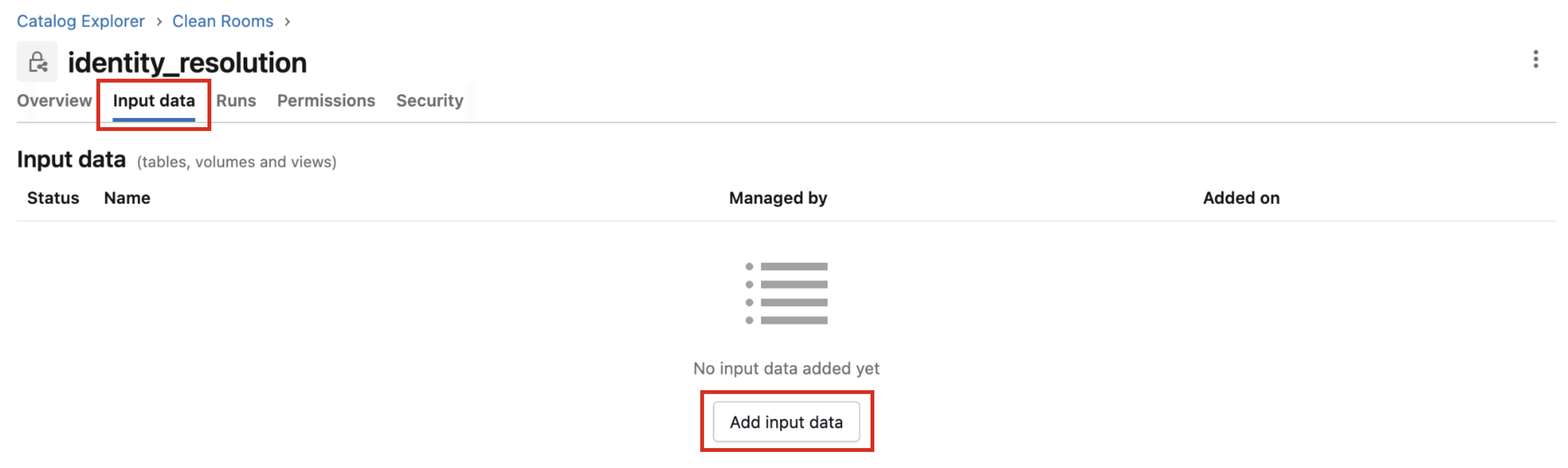
Click and then select the appropriate input table and metadata table.
Note
If you want to rerun an input table and metadata table that you’ve run previously, you do not need to add them again.
Click .
Run the Notebook
Once the clean room has been created and the tables have been added to the clean room, you can perform the identity resolution operation by running the notebook:
Note
Only users with the EXECUTE CLEAN ROOM TASK permission can run the notebook.
If you’ve run a previous operation and want to save the previous output table, make sure to copy it before running the notebook (the previous output table will be overwritten).
Open the clean room.
Click to enter into the notebook.
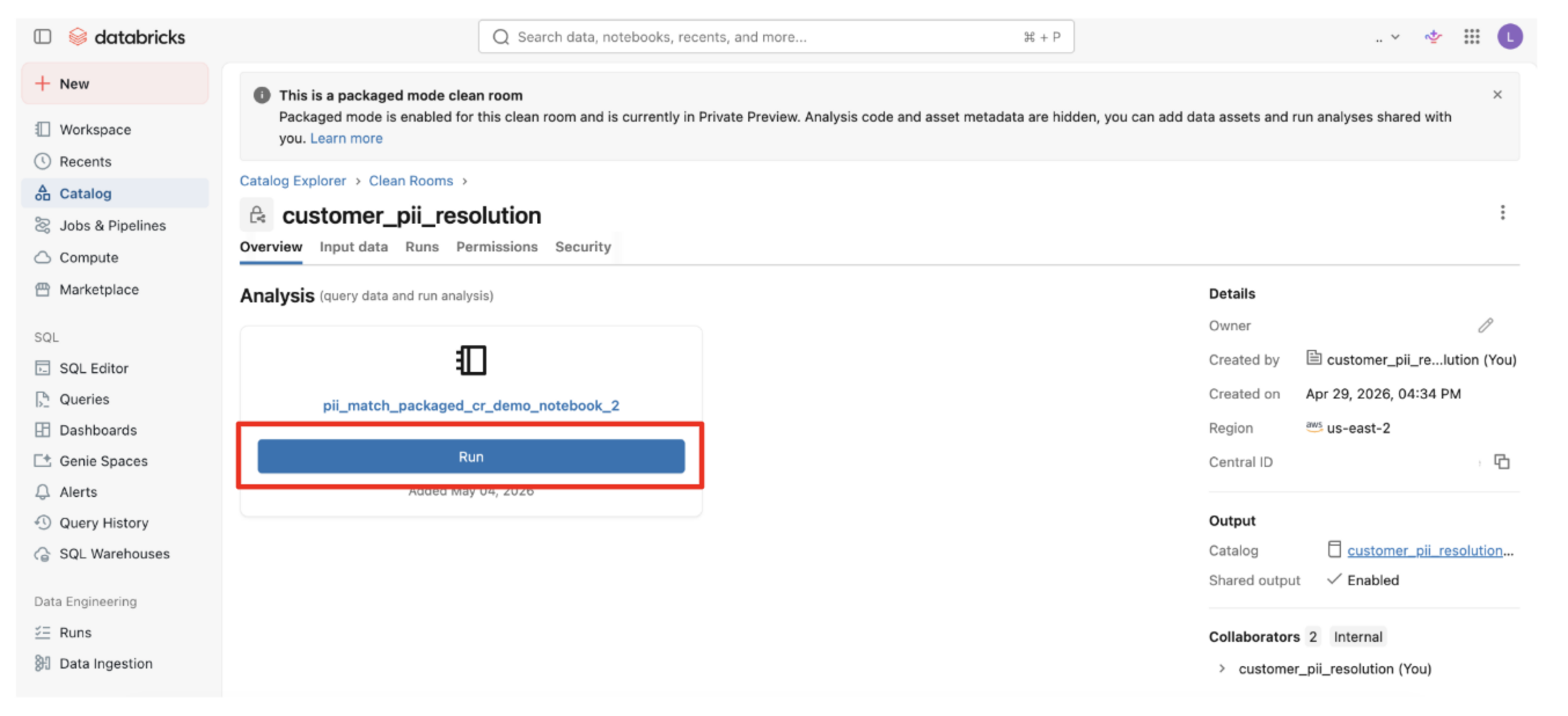
From the Parameters area of the Run notebook dialog, click .
Enter a parameter of "meta_table" and then enter the name of the metadata table that includes the configuration for the Identity job.
Note
Because the metadata table specifies the input table to use, you do not need to add that table as a parameter.
Check the check box for "Save the notebook output" and then enter or adjust the name of an output catalog where the output table and shared schemas (logging and metrics tables) will populate.
Click .
View the Output Table
The identity resolution results will be stored as a new schema in the specified catalog for up to 30 days or until you run another operation (which overwrites any existing output table).
Note
Each output table is retained for a maximum of 30 days. To use the output table in your Databricks account, you’ll need to copy it before you run another operation or within 30 days (whichever comes first).
To view the output table:
From the clean room, click the output schema link in the Output schema column.
From the Overview tab, click the output table link in the Name column.
View the PII Resolution Output Table
The PII resolution process passes the input table through a privacy filter which removes the PII and reswizzles the table (in addition to other operations). Because of this, any attributes you need to keep associated with the identifier need to be included in the input table. For more information, see the "Privacy Filter" section below.
Identity resolution of PII provides supplemental match metadata for additional insight into customer data that can provide powerful signals for making decisions based on RampIDs.
For PII resolution, the output table includes the fields shown in the table below.
Column | Example | Description |
|---|---|---|
| XYT999wXyWPB1SgpMUKlpzA013UaLEz2lg0wFAr1PWK7FMhsd | Returns the resolved RampID in your domain encoding. |
| Male | Any attribute columns passed through the service are returned. |
| 1 | Provides insight on the match cascade level associated with the identifiers. If no maintained RampID is found, this value will be "null". |
| name_phone | Returns the filter name where the match occurred, which will be one of the following options:
If no maintained RampID is found, this value will be "null". |
View the Device Identifier Resolution Output Table
For device identifier resolution, the output table includes the fields shown in the table below:
Column | Example | Description |
|---|---|---|
| 93abc799-a0a5-40b5-80dd-d2ab61d4d072 | Original identifier passed in. |
| XYT999wXyWPB1SgpMUKlpzA013UaLEz2lg0wFAr1PWK7FMhsd | Returns the resolved RampID in your domain encoding. |
View Logging and Metrics
To access the logging and metric:
Navigate to the Runs tab in the packaged clean room.
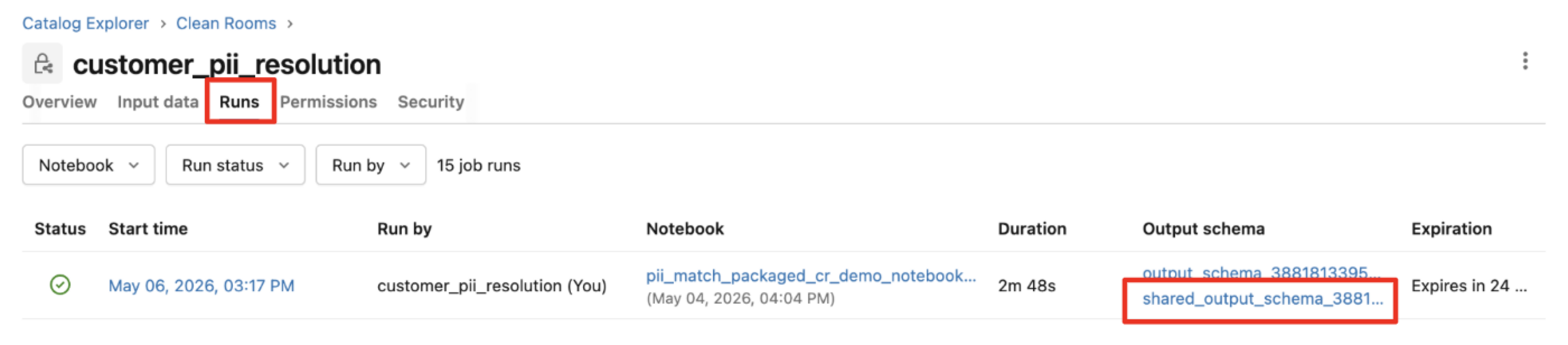
Click on the “shared_output_schema” link in the Output schema column.
Here both the logs and metrics tables (the shared_output generated) are available for monitoring.
Note
These tables are deleted every 30 days by default from Databricks. For ongoing monitoring of usage, these tables will need to be copied out.
Privacy Filter
To minimize the risk of re-identification (the ability to tie PII directly to a RampID), the service includes the following processes when resolving PII identifiers (PII resolution or email-only resolution):
Column Values: The process evaluates each column value on a per-row basis for unique values. If any attribute occurs 3 or fewer times, the rows containing those column values will not be matchable and will not be returned in the output table.
>5% of the table unmatchable: If based on column value uniqueness, >5% of the file rows are unmatchable, the job will fail.
Number of Unique RampIDs: If fewer than 100 unique RampIDs would be returned, the job will fail.
Reswizzle full table: Upon completion, the full table will be reswizzled to return the rows
RampID | attribute_1 | attribute_2 | attribute_nin a different order than what was submitted in the input table.