Configuring Horizontal Scaling to Process Files
To improve the processing of large datasets, you can enable horizontal scaling, which processes files in parallel across multiple Local Encoder containers (AKA "pods").
You can enable horizontal scaling by setting configuration parameters and executing the Local Encoder Vault App using the Kubernetes deployment configuration. The Local Encoder Vault App reads a configuration file provided via the command line and processes data within a Docker environment. The configuration file may include details such as account ID, profile type, region, packet type, operating mode, LiveRamp AWS configurations, input path, and output path.
Without horizontal scaling, the Vault App reads files sequentially from the specified input path, processes each file according to the configuration, and writes the processed output to the designated output path. Once you configure horizontal scaling, your input files are automatically distributed into numbered folders, and each container processes the files in its assigned folder.
Prerequisites
Kubernetes cluster: A working Kubernetes cluster on which to deploy StatefulSets. For information, see "Running LiveRamp’s Local Encoder on Kubernetes in AWS EKS" or "Running LiveRamp’s Local Encoder on Kubernetes in Google Kubernetes Engine".
Kubernetes StatefulSets: Horizontal scaling is not supported on other deployment platforms.
Default mode: Set the
LR_VAULT_MODEconfiguration parameter todefault. Horizontal scaling requires continuous polling and folder-based distribution, so it is not supported in task mode, which is designed for single-file processing (process one file, then exit). For more information, see "Optional Configuration Parameters".Shared storage: All Local Encoder containers must have access to the same input/output storage (local shared volume, AWS S3, or GCS).
The latest Vault App source code or Docker image: Run the following command to retrieve the image:
docker pull 461694764112.dkr.ecr.eu-central-1.amazonaws.com/vault-app:latest
Setting Up Horizontal Scaling
The Local Encoder Vault App will operate in Kubernetes multi-instance mode using the following containers:
Init container: Responsible for reading the input path and reorganizing the input files into multiple folders based on the replica count specified in the configuration file. For example, if the input path contains 9 files and the replica count is set to 3, three folders are created. The 9 files are distributed across 3 folders.
Example input folder for 3 replicas and 9 files:
/tmp/input/
  ├── Folder_1/    (files 1, 4, 7)
  ├── Folder_2/    (files 2, 5, 8)
  └── Folder_3/    (files 3, 6, 9)
Main container for launching pods: The configured replica count determines the number of pods to launch, with each pod assigned the input path of a single folder. Each pod processes one folder independently, enabling all pods to process their respective folders in parallel. Vault-App multi-instance processing supports the following storage configurations: local input, local output, GCS input, GCS output, Amazon S3 input, and Amazon S3 output.
When INITIALIZE_VAULT_APP=true and LR_VAULT_MULTI_INSTANCE=true:
Only pod-0 (detected via
POD_NAME) performs file distribution.Files in the input path are distributed into Folder_1 (3 files), Folder_2 (3 files), and Folder_3 (3 files).
The distribution formula (file index % N) determines which folder each file goes to, which ensures even distribution of files across all pods.
Each pod's main container:
Reads the
POD_NAME(e.g., vault-app-0)Extracts pod index (e.g., 0 → 1).
Sets input path to {baseInputPath}/Folder_{podIndex}.
Processes only files in its assigned folder. For example, Pod 0 processes Folder_1, Pod 1 processes Folder_2, Pod 2 processes Folder_3.
Overall Steps
Get the latest Vault App source code or Docker image.
Adjust the sample configuration YAML file for your implementation, including the required parameters, the replica count, and the input/output paths.
Deliver all input files to the input location before starting the application because file distribution happens once at startup (a one-time scan).
Note
Files added after the init container completes are not automatically distributed to the pods.
Execute the Vault App using your Kubernetes deployment configuration YAML file. For example:
kubectl apply -f sample-k8s-deployment.yamlVerify the Vault App execution:
Verify pod count: Run
kubectl get podsto determine the number of running pods, which should match the replica count specified in the configuration file.Verify init container logs: Run
kubectl logs vault-app-0 -c init-vault-appto determine the init container logs. Confirm that input files are being reorganized into folders based on the configured replica count. The logs should indicate the creation of folders and the distribution of files from the input path.Verify Vault App container logs: Run
kubectl logs vault-app-0 -c vault-app-containerto review the Vault App container logs to validate the actual file processing. Each pod should process a single folder, and all pods should run in parallel according to the configured replica count.
Configurations
Required configuration parameter values
Parameter | Description | Values |
|---|---|---|
LR_VAULT_MULTI_INSTANCE | Enables horizontal scaling via multiple pods when set to When set to |
|
INSTANCE_REPLICAS | The number of pods (AKA "replicas"), which must match the StatefulSet's Each pod uses multi-threading internally (threads = CPU cores), so one pod can already process multiple files in parallel. Add more replicas when you need to distribute I/O load or process very large datasets faster. Recommended values based on dataset size:
| An integer, such as |
INITIALIZE_VAULT_APP | When set to |
|
LR_VAULT_MODE | The default value is Do not set to |
|
POD_NAME | Enables the Local Encoder Vault App to derive the name of each pod and map it to the corresponding input folder. This parameter is set via the Kubernetes StatefulSet | Automatically injected, such as |
apiVersion: apps/v1
kind: StatefulSet
metadata:
  name: vault-app
  labels:
    app: vault-app
spec:
  replicas: 3                                  # ⬅️ SCALING: Number of pods
  selector:
    matchLabels:
      app: vault-app
  template:
    metadata:
      labels:
        app: vault-app
    spec:
      restartPolicy: Always
      initContainers:
        - name: init-vault-app
          image: vault-app:latest # Docker Image
          command: ["/bin/sh", "-c"]
          args: ["java -DINITIALIZE_VAULT_APP=true -DLR_VAULT_MULTI_INSTANCE=true -jar vault-app.jar"]
          resources:
            requests:
              cpu: "250m"
            limits:
              cpu: "500m"
          imagePullPolicy: Never
          volumeMounts:
            - name: input-volume
              mountPath: "/tmp/input"
            - name: config-volume
              mountPath: "/config"
            - name: output-volume
              mountPath: "/tmp/output"
            - name: logs-volume
              mountPath: "/var/logs/vault-app"
          env:
            - name: INITIALIZE_VAULT_APP       # ⬅️ SCALING: Enables file distribution
              value: "true"
            - name: INSTANCE_REPLICAS          # ⬅️ SCALING: Must match spec.replicas
              value: "3"
            - name: LR_VAULT_MULTI_INSTANCE    # ⬅️ SCALING: Enable multi-instance mode
              value: "true"
            - name: LR_VAULT_MODE              # ⬅️ SCALING: Must be "default"
              value: "default"
            - name: LR_VAULT_PROFILE
              value: "dev"
            - name: AWS_REGION
              value: "ap-south-1"
            - name: LR_VAULT_INPUT
              value: "/tmp/input"
            - name: LR_VAULT_OUTPUT
              value: "/tmp/output"
            - name: LR_VAULT_PACKET_TYPE
              value: "unencoded"
            - name: LR_VAULT_ACCOUNT_ID
              value: "LR_VAULT_ACCOUNT_ID"
            - name: LR_VAULT_ACCOUNT_TYPE
              value: "awsiam"
            - name: POD_NAME                   # ⬅️ SCALING: Required for pod identification
              valueFrom:
                fieldRef:
                  fieldPath: metadata.name
            - name: LR_VAULT_LR_AWS_SECRET_ACCESS_KEY
              value: "LR_VAULT_LR_AWS_SECRET_ACCESS_KEY"
            - name: LR_VAULT_LR_AWS_ACCESS_KEY_ID
              value: "LR_VAULT_LR_AWS_ACCESS_KEY_ID"
      containers:
        - name: vault-app-container
          image: vault-app:latest # Docker Image
          imagePullPolicy: Never
          env:
            - name: AWS_REGION
              value: "ap-south-1"
            - name: AWS_LR_ACCOUNT_ID
              value: "461694764112"
            - name: LR_VAULT_LOCAL
              value: "US"
            - name: LR_VAULT_PACKET_TYPE
              value: "unencoded"
            - name: LR_VAULT_ACCOUNT_ID
              value: "LR_VAULT_ACCOUNT_ID"
            - name: LR_VAULT_LR_AWS_REGION
              value: "eu-central-1"
            - name: LR_VAULT_ACCOUNT_TYPE
              value: "awsiam"
            - name: LR_VAULT_LR_AWS_SECRET_ACCESS_KEY
              value: "LR_VAULT_LR_AWS_SECRET_ACCESS_KEY"
            - name: LR_VAULT_LR_AWS_ACCESS_KEY_ID
              value: "LR_VAULT_LR_AWS_ACCESS_KEY_ID"
            - name: LR_VAULT_INPUT
              value: "/tmp/input"
            - name: LR_VAULT_OUTPUT
              value: "/tmp/output"
            - name: LR_VAULT_PROFILE
              value: "dev"
            - name: LR_VAULT_MULTI_INSTANCE    # ⬅️ SCALING: Enable multi-instance mode
              value: "true"
            - name: LR_VAULT_MODE              # ⬅️ SCALING: Must be "default"
              value: "default"
            - name: POD_NAME                   # ⬅️ SCALING: Required for pod identification
              valueFrom:
                fieldRef:
                  fieldPath: metadata.name
          volumeMounts:
            - name: input-volume
              mountPath: "/tmp/input"
            - name: config-volume
              mountPath: "/config"
            - name: output-volume
              mountPath: "/tmp/output"
            - name: logs-volume
              mountPath: "/var/logs/vault-app"
          securityContext:
            capabilities:
              add: ["IPC_LOCK"]
          resources:
            limits:
              memory: "4096Mi"
              cpu: "2"
            requests:
              memory: "2048Mi"
              cpu: "2"
      volumes:
        - name: input-volume
          hostPath:
            path: "/Users/sichod/development/data/parallel_input/input"
        - name: config-volume
          hostPath:
            path: "/Users/sichod/development/data/config"
        - name: output-volume
          hostPath:
            path: "/Users/sichod/development/data/parallel_output"
        - name: logs-volume
          hostPath:
            path: "/Users/sichod/development/data/parallel_output"
Input/output Combinations
Local Encoder's horizontal scaling supports the following input/output combinations:
Input Source | Output Destination |
|---|---|
Local | Local |
Local | S3 (your bucket) |
Local | S3LR (LiveRamp bucket) |
Local | GCS |
S3 | Local |
S3 | S3 |
S3 | S3LR |
S3 | GCS |
GCS | Local |
GCS | S3 |
GCS | S3LR |
GCS | GCS |
Sample Resource Allocation
The following resources section of the YAML configuration file provides a sample per-pod resource allocation:
resources:
  requests:
    memory: "1Gi"
    cpu: "2"
  limits:
    memory: "12Gi"
    cpu: "8"
Note
More CPUs provide more parallel file processing within each pod.
Memory scales with file size and number of concurrent files
The following steps illustrate Vault App execution based on a horizontal scaling configuration and show local input and output folders.
Note
File distribution happens once at startup (a one-time scan). All input files must be present in the input location before starting the application. Files added after the init container completes will not be automatically distributed to the pods.
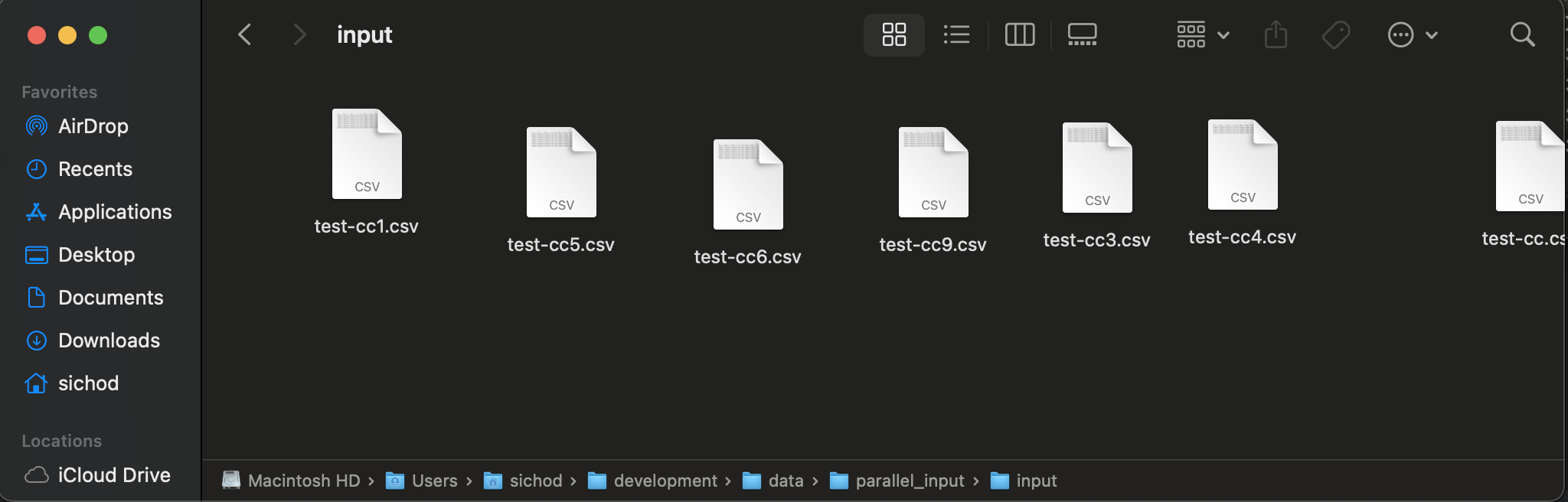
Before you execute these steps, your file input folder has a set of CSV files.
Your output folder does not yet have any files.
Run the Vault App using the YAML configuration file:
kubectl apply -f sample-k8s-deployment-sample-localInput-localOutput.yaml
Validate the number of pods running, which should match the replicas set in the YAML file:
kubectl get pods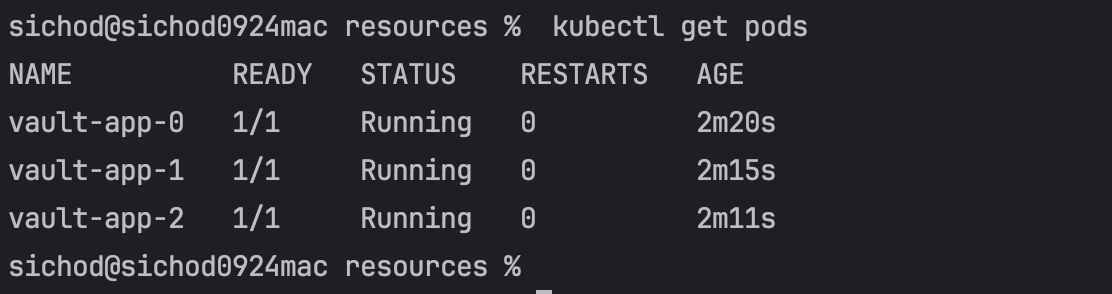
Initialize your container logs: Run
kubectl logs vault-app-0 -c init-vault-appWhere
vault-app-0is the pod name andinit-vault-appis the init container name set in your YAML configuration file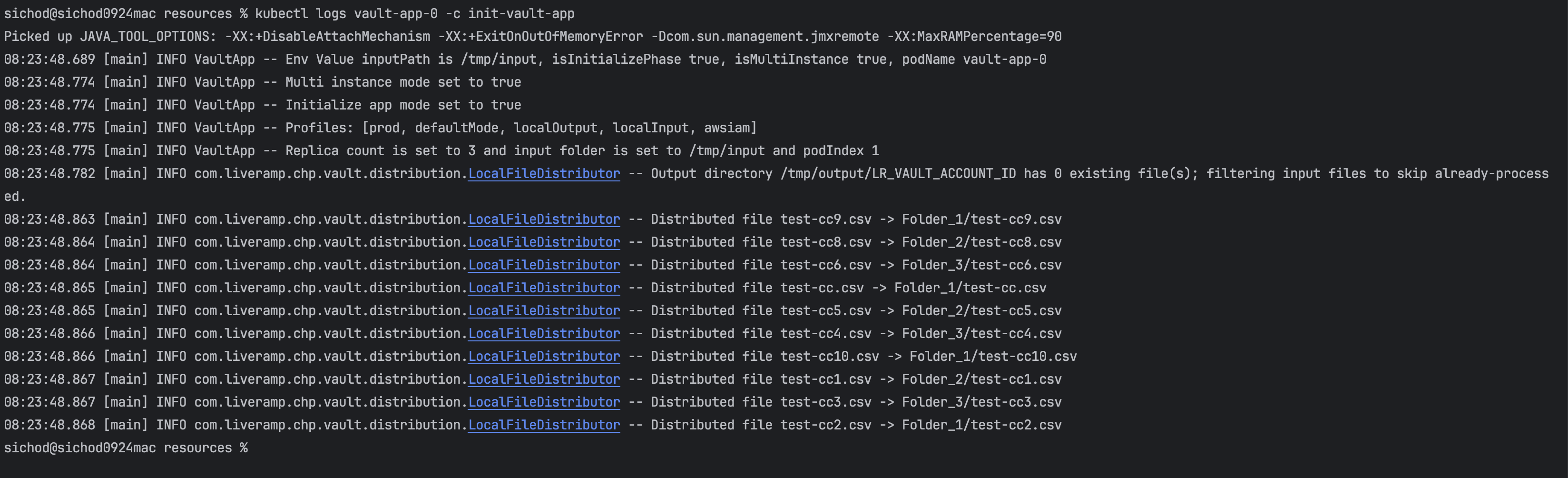
Review your Vault App container logs: Run
kubectl logs vault-app-0 -c vault-app-containerWhere
vault-app-0is the pod name, andvault-app containeris the vault-app container name set in your YAML configuration file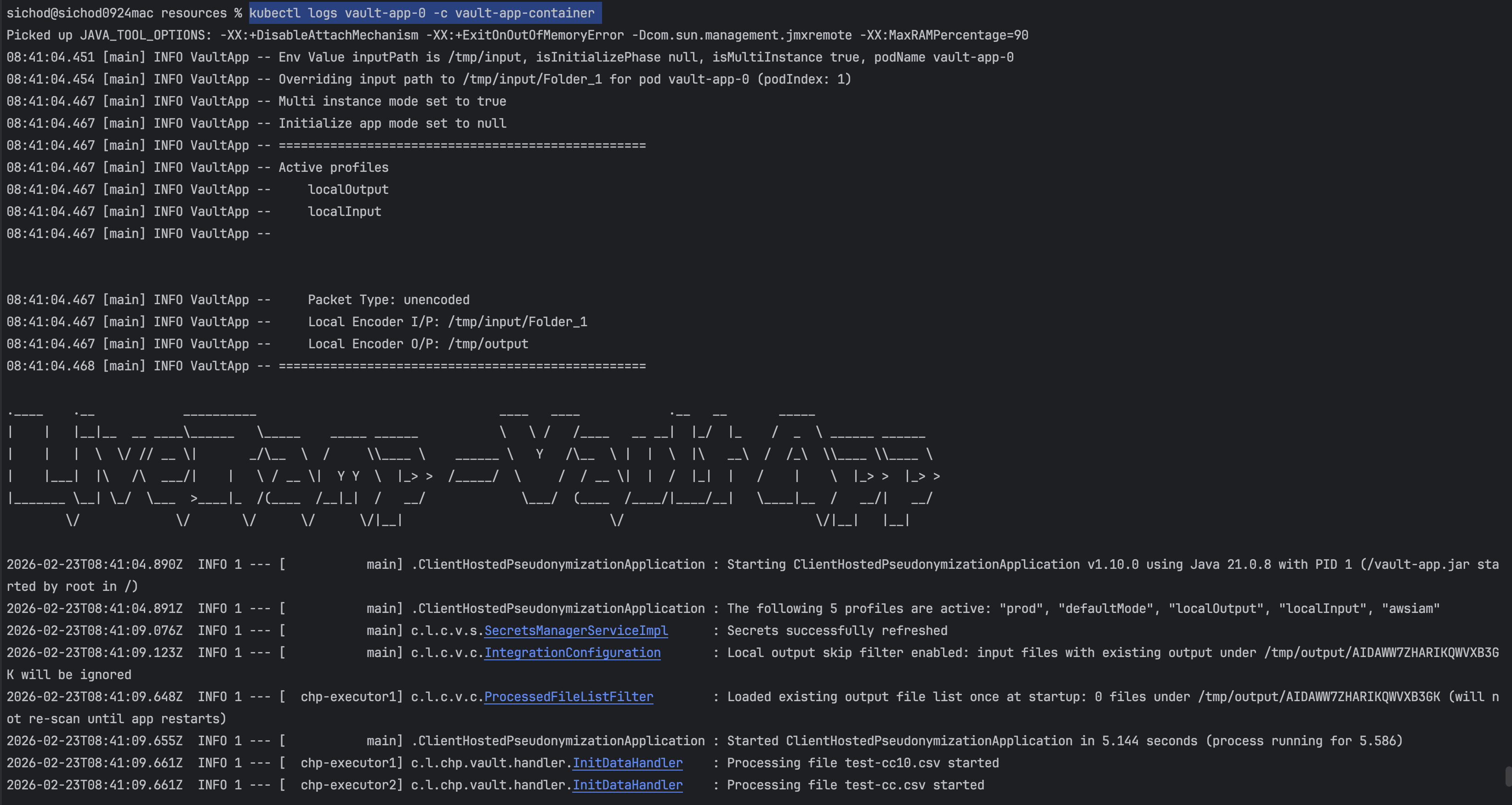
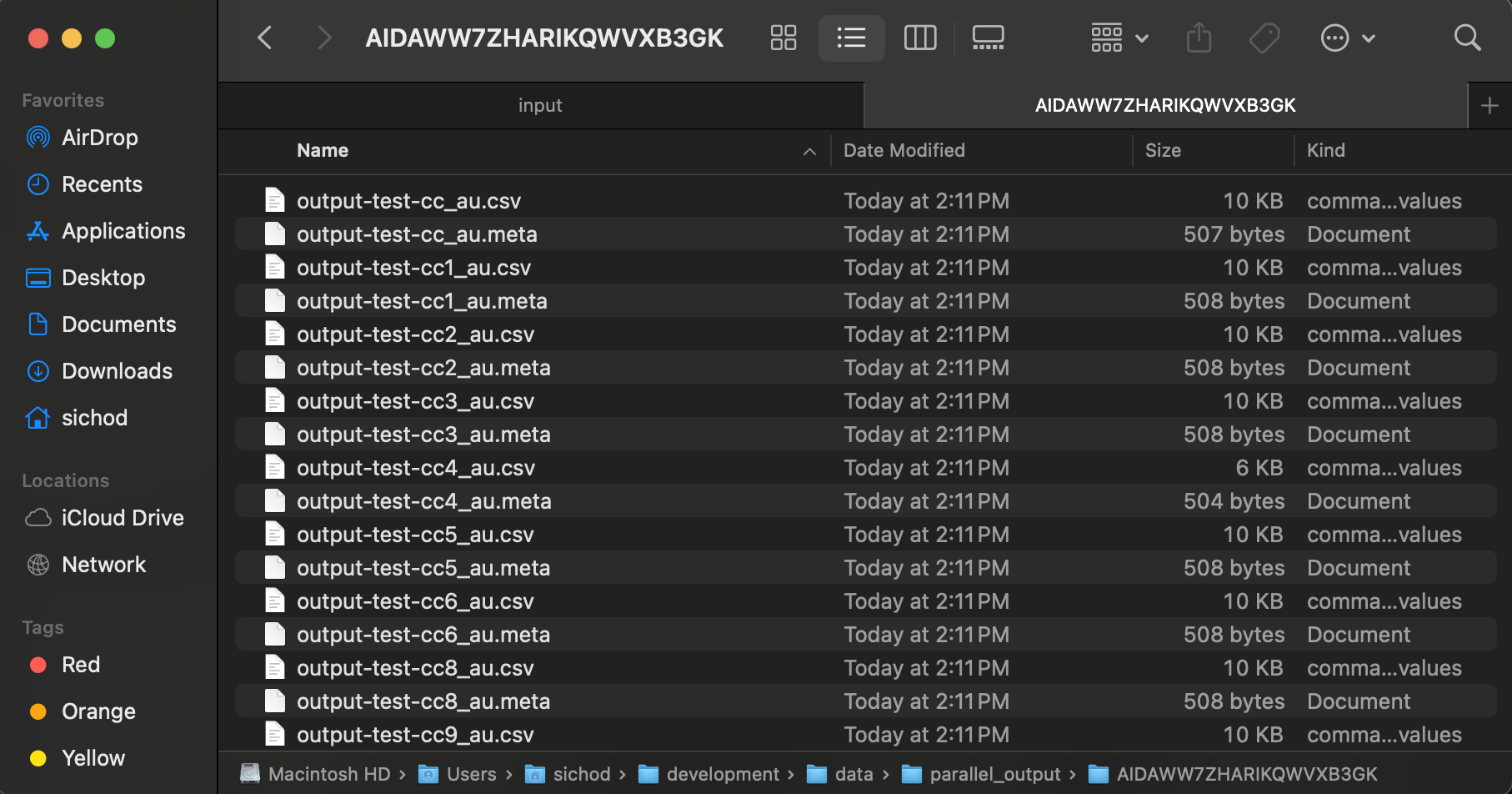
After you execute these steps, your file input folder has a set of folders such as the following.
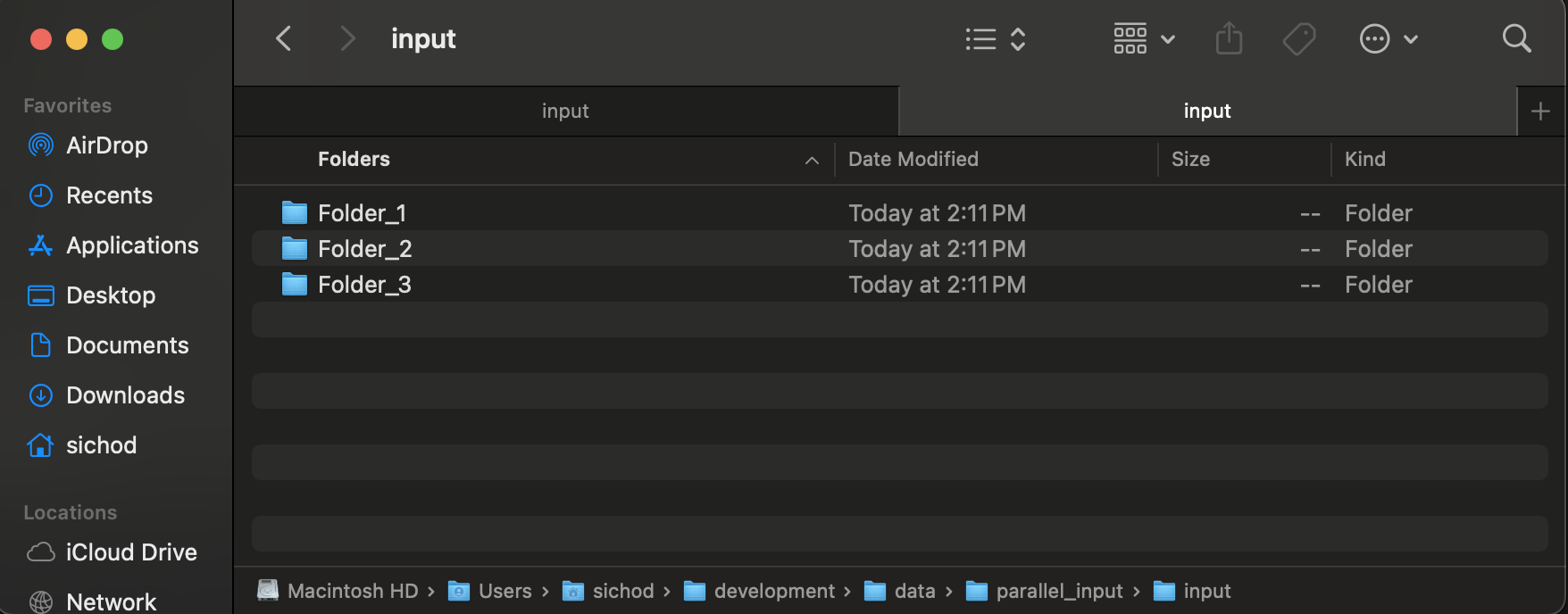
And your output directory has a set of CSV and META files.