Reviewing Compliance Categories
Policy Check automatically assigns a compliance category to each segment you submit to the Data Marketplace, based on the segment's metadata (primarily the segment name and description) and the segment type (standard or custom). For a list of compliance categories and whether each is allowed for standard and custom segments, see "Data Marketplace Segment Compliance Categories".
Review the compliance categories assigned to your segments. If a segment is assigned a compliance category that isn't allowed for that segment type, you might be able to update the segment so that it complies with "LiveRamp's Data Marketplace Data Policy" in the following ways:
Tip
To view the compliance categories assigned to your segments, select Marketplace → Sell Data from the navigation menu to go to the Sell Data - My Segments page. Use the Compliance Category filter to show only segments with a particular compliance category.
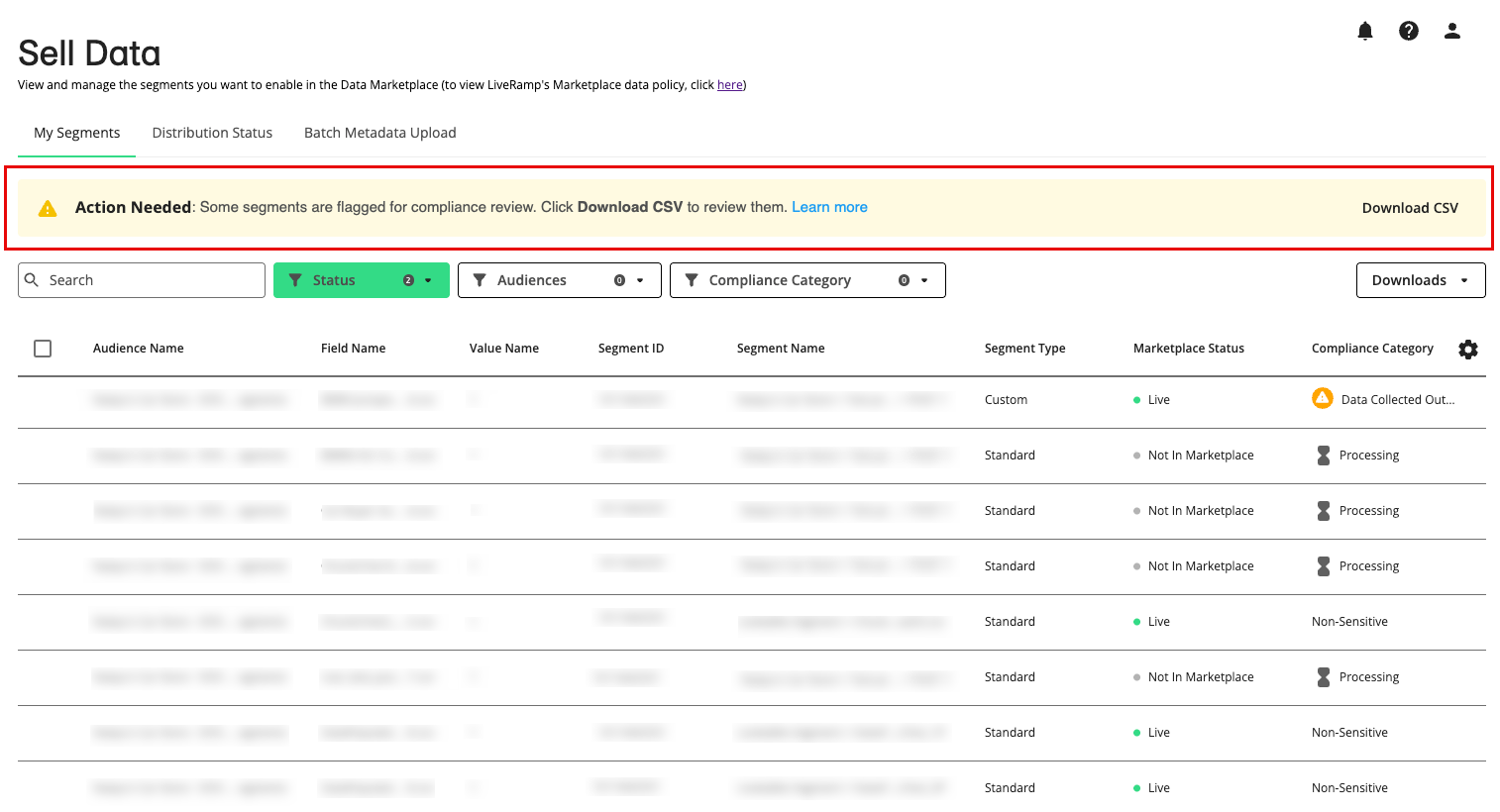
If you have segments that were assigned compliance categories that are not allowed, a banner will display on the Sell Data > My Segments page:
Distributed and Non-Distributed Segments
Some segment update options depend on whether a segment has been distributed:
Distributed segment: A segment that has been distributed to a destination platform (either by you or by a data buyer), where advertisers can activate and target it.
Non-distributed segment: A segment that exists in the Data Marketplace but has never been distributed to a destination platform.
To check whether a segment has been distributed, download a segment metadata file and check if the “Has Been Distributed” column has a value of “Y”.
Change a Segment’s Name or Description for Policy Check Review
Policy Check assigns compliance categories primarily from a segment’s name and description. If a segment was assigned a compliance category that isn’t allowed, and you believe the segment itself complies with “LiveRamp's Data Marketplace Data Policy”, the name or description may be causing the problem.
For example, the name or description might be too vague, it might use words tied to a sensitive topic, or it might not describe the audience accurately. Updating the name or description is usually the easiest way to get Policy Check to reclassify the segment to an approved category.
Caution
Do not change the name of a distributed segment. Segment names shouldn’t be edited after distribution, and changing a name can cause issues at downstream platforms. For more information, see “Edit Existing Data Marketplace Segment Information”.
From the Sell Data > My Segments page, click Download CSV on the “Action Needed” banner to download the file of segments assigned sensitive categories.
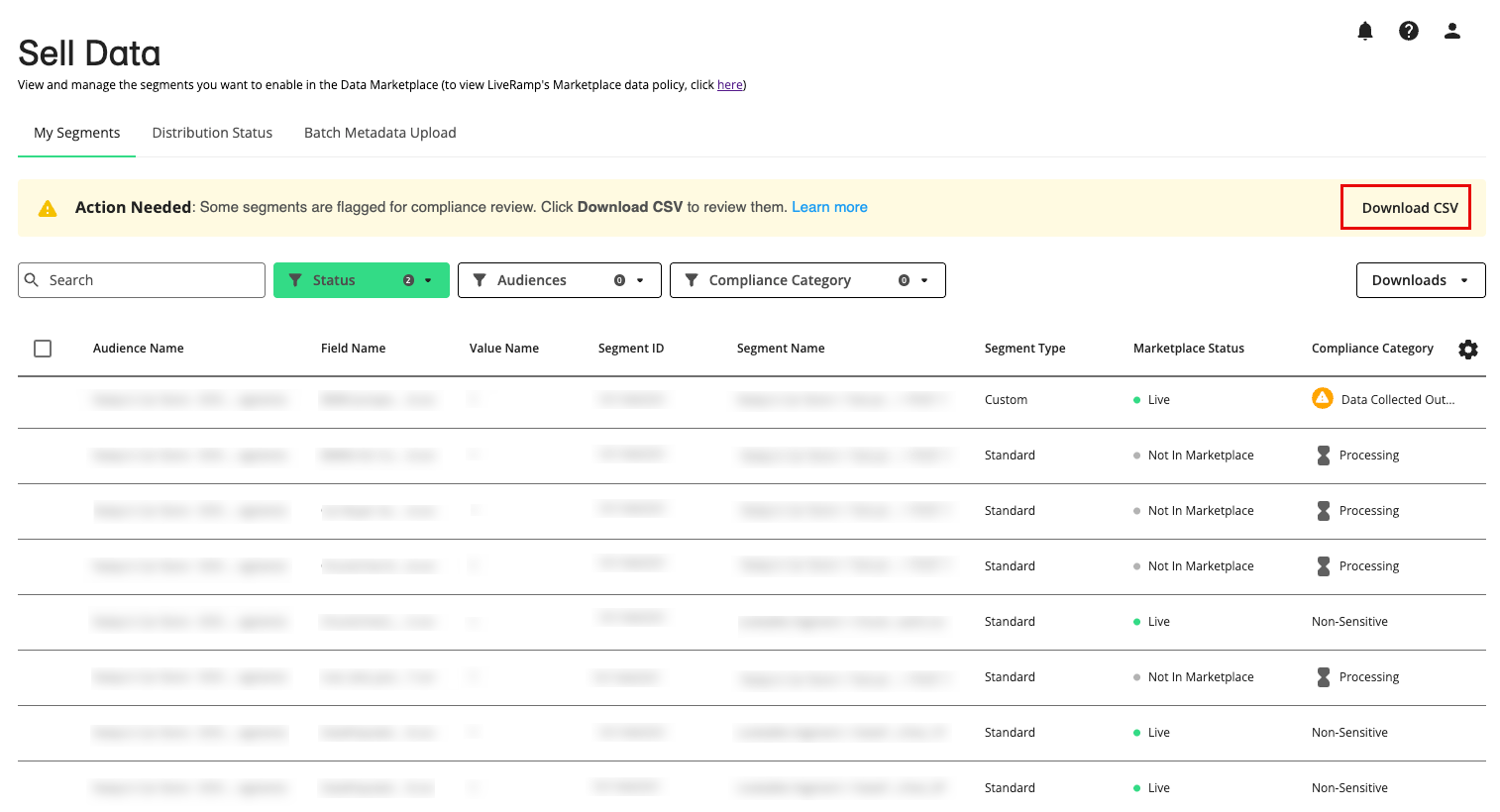
In the downloaded CSV file, review each flagged segment and decide whether its name or description needs to change. Check the “Has Been Distributed” column to see which fields you can update. If the segment is distributed, you can change the segment description, but should not change the segment name.
Make your updates in one of these ways:
Individual segments: In the Connect UI, edit the Description field for a distributed segment, or the Segment Name or Description field for a non-distributed segment (for instructions, see “Enable an Individual Data Marketplace Segment”).
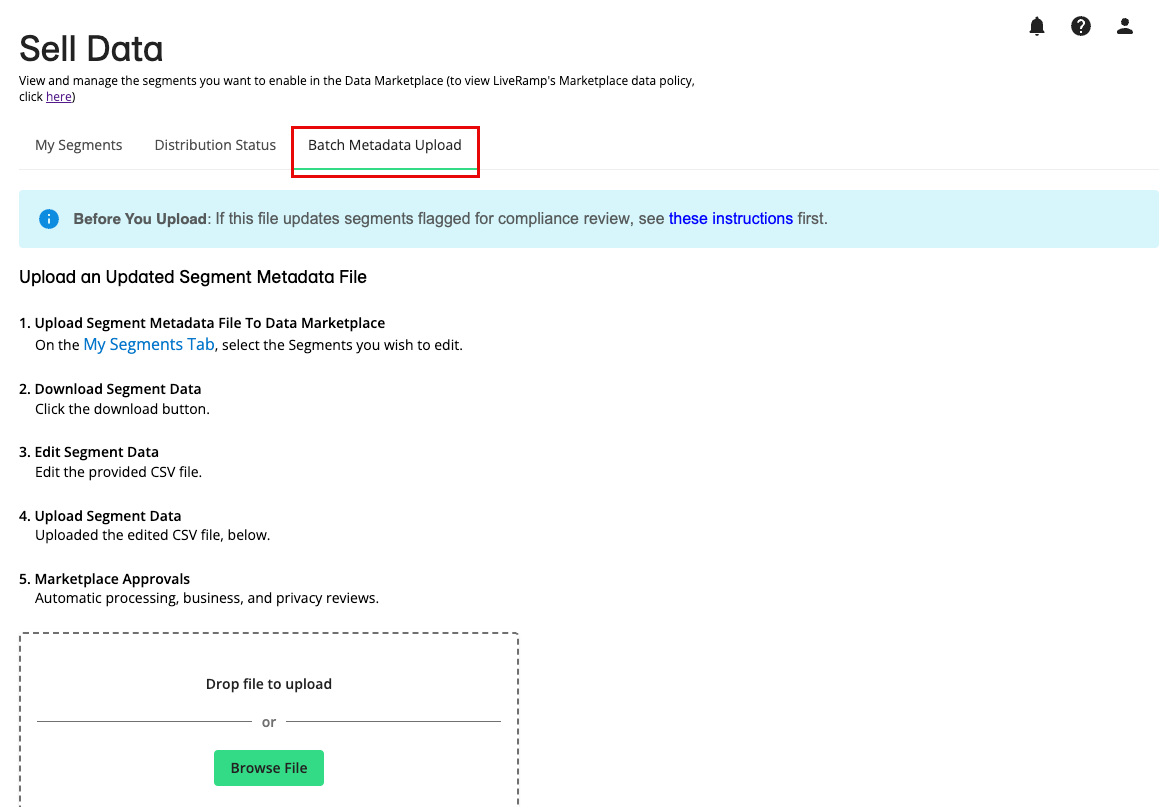
Multiple segments: Update the “Segment Description” column for distributed segments, or the “Segment Name” or “Segment Description” column for non-distributed segments in the downloaded CSV file, and then upload it from the Sell Data > Batch Metadata Upload tab (for instructions, see “Update a Data Marketplace Segment Metadata File”).
Once you make your updates, see “What Happens After You Update a Segment” section below.
Change a Standard Segment to a Custom Segment for Policy Check Review
The following compliance categories are allowed only for custom segments:
Health - Caregivers (Sensitive)
Health - Interest or Modeled (Sensitive)
Voter Registration Data
If one of your standard segments is assigned one of these compliance categories, you can convert it to a custom segment so it can be made available to buyers you have a direct agreement with.
Caution
All custom Data Marketplace data shared with other accounts must adhere to LiveRamp policies, and you must have a direct agreement in place with receiving accounts for the relevant data and use cases.
From the Sell Data > My Segments page, click Download CSV on the “Action Needed” banner to download a segment metadata file (CSV) of segments assigned sensitive categories.
In the downloaded CSV file, find the segments with a "Y" in the "Eligible to Convert" column.
For each of those segments, check the value of the "Has Been Distributed" column:
"N" (not distributed): Go to the next step.
"Y" (distributed): Get the list of destinations where the segment was distributed, so you can allowlist them when you convert the segment:
On the Sell Data > Distribution Status tab, select Distributing in the Status dropdown, and then click Download.

In the downloaded segment report, filter for the segment and make a list of all the Destination IDs where it was distributed.
In the CSV file you downloaded in step 1 above, update each segment you want to convert:
In the "Custom" column, enter "Y".
In the "Allowed Platforms (Custom Segments Only)" column:
For distributed segments: Enter the Destination IDs you listed in step 3 above (separate multiple IDs with commas).
For non-distributed segments: Leave this column blank.
When you've updated all the segments you want to convert to custom, on the Sell Data > Batch Metadata Upload tab, upload the updated CSV file (for instructions, see "Upload a Data Marketplace Segment Metadata File").
For more information on custom segments, see "Distribute Custom Segments to Data Buyers".
What Happens After You Update a Segment
Once you update a segment for an additional Policy Check review, the following occurs:
Policy Check reviews the updated segment again and assigns a new compliance category. While the review is in progress, the segment shows a “Processing” status and isn’t discoverable in the Data Marketplace.
Distribution isn’t affected during the review. Distributed segments keep going to their existing destinations and stay available on downstream platforms.
If Policy Check approves the segment, it’s usually reclassified within minutes, and it becomes discoverable again (standard segments) or available to its allowed platforms (custom segments).
If the Policy Check does not approve a segment, it is sent to the LiveRamp team for additional review. While under review, the segment remains in the “Processing” status and is not discoverable in the Data Marketplace. Upon completion of the review, you’ll receive an email indicating whether the segment was approved or rejected. If it is rejected, it stays undiscoverable and will be removed on January 29, 2027.